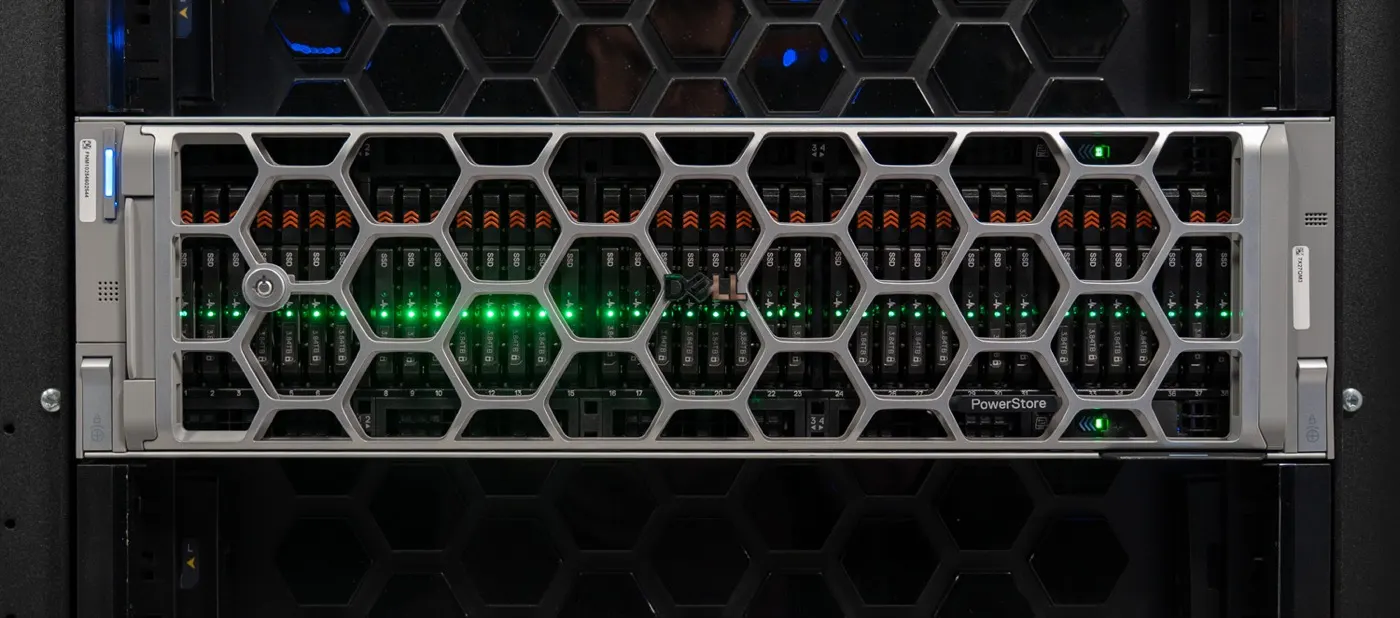
Dell PowerStore drive types and tiering are often misunderstood because many teams reduce everything to a single “flash drive” discussion. The short answer is this: in PowerStore, NVMe NVRAM, NVMe SSD, and NVMe SCM have different roles; if NVMe SSD and NVMe SCM are mixed in the same base enclosure, the system uses NVMe SCM for metadata tiering, while NVMe NVRAM is reserved for caching rather than normal data-capacity placement. This guide is written for teams that want to read media selection through capacity, latency, tier behavior, and expansion design together.
This guide is especially useful for:
- storage teams planning a PowerStore purchase or refresh
- system administrators modeling both capacity and performance behavior
- architecture teams trying to separate QLC, TLC, and SCM roles in PowerStore
- organizations planning expansion enclosures alongside data-placement strategy
Quick Summary
- Dell’s Hardware Information Guide defines three supported drive types in the PowerStore base enclosure:
NVMe NVRAM,NVMe SSD, andNVMe SCM. - The same guide states that slots
0-20can holdNVMe SSDandNVMe SCM, while slots21-24are reserved forNVMe NVRAMcache drives. - When
NVMe SSDandNVMe SCMare mixed in the same base enclosure, the system usesNVMe SCMdrives formetadata tiering. - Dell’s Planning Guide says PowerStore should be planned with at least
6SSDs for single-drive fault tolerance and7SSDs for double-drive failure tolerance. - Dell’s TLC and QLC note says TLC drives retain data for up to
90 dayswhile powered off, while QLC drives retain data for up to30 days; storage above40°Ccan create corruption risk. - Dell’s NVMe expansion enclosure documentation says the enclosure provides
242.5-inch NVMe SSDslots and does not supportNVMe SCM.
Table of Contents
- What Drive Types Exist in PowerStore?
- How Does Tiering Work Inside PowerStore?
- Where Do QLC, TLC, and SCM Matter Most?
- How Should Base and Expansion Enclosures Be Read?
- Which Media Fits Which Workload?
- What Planning Mistakes Happen Most Often?
- Related Content
- Checklist
- Next Step with Leon-X
- Frequently Asked Questions
- Sources
Image: Wikimedia Commons - Front of server racks at NERSC.
What Drive Types Exist in PowerStore?
Dell’s official Hardware Information Guide clearly separates three media roles inside the PowerStore base enclosure:
NVMe NVRAMNVMe SSDNVMe SCM
These are not interchangeable. NVMe NVRAM is not the main capacity layer; it is tied to system caching behavior. NVMe SSD carries the primary data layer. NVMe SCM, on supported models, is intended for faster metadata-oriented behavior where latency sensitivity is higher.
That is why PowerStore media planning cannot be reduced to “how many TB are we buying?” The real question is: which media type serves capacity, which serves cache behavior, and which serves the metadata tier?
How Does Tiering Work Inside PowerStore?
In PowerStore, tiering should not be read as a classic hot-warm-cold pool discussion alone. The clearest statement in Dell’s guide is this: if NVMe SSD and NVMe SCM are mixed in the same base enclosure, the system uses NVMe SCM drives for metadata tiering.
That creates a few important implications:
- SCM is not just a general-purpose capacity drive.
- Metadata-heavy workloads can benefit from faster media behavior.
- Tiering is about data behavior, not just capacity placement.
In other words, PowerStore tiering should be interpreted not only as “which data sits on which drive,” but also as “which data component gets which performance response profile.”
This topic maps directly to Hardware & Software Services, especially NAS / SAN Storage Installation and Configuration, because incorrect media placement affects the entire storage behavior, not only raw capacity.
Where Do QLC, TLC, and SCM Matter Most?
Dell’s guide gives two important details:
PowerStore 3200Qand5200Qmodels useQLC-basedNVMe SSDdrives- all other PowerStore models use
TLC-basedNVMe SSDdrives
That looks small in a product sheet, but it matters operationally.
TLC-based NVMe SSD
This is typically the safer default for enterprise production workloads:
- lower latency expectations
- more predictable write behavior
- stronger fit for dense virtualization and mixed I/O patterns
QLC-based NVMe SSD
This makes sense where capacity density matters:
- higher flash capacity efficiency
- useful for warm data or capacity-heavy designs
- needs more care in very write-heavy layers
SCM
SCM should be treated as a performance-characteristic decision, not a capacity-growth decision:
- faster metadata behavior
- lower-latency response profile
- limited to supported model configurations
Dell’s TLC and QLC note also adds an operational rule that many teams miss: TLC drives retain data for up to 90 days while powered off, while QLC drives retain data for up to 30 days; storage above 40°C can create corruption risk for either type.
How Should Base and Expansion Enclosures Be Read?
Dell’s base enclosure rules are explicit:
- slots
0-20:NVMe SSDandNVMe SCM - slots
21-24:NVMe NVRAM
Dell also notes that on some models shipping with only two NVMe NVRAM drives, leaving slots 21 and 22 empty makes future upgrades to four NVRAM drives easier. The documentation explicitly warns that wrong placement can complicate later upgrades.
Dell’s separate KB article adds another practical point: on 1000/1200 and 3000/3200 systems, placing data drives in slots 21 and 22 may work operationally but can create future Data In Place upgrade limitations.
From the Planning Guide, the fault-tolerance thresholds are also clear:
- at least
6SSDs for single-drive fault tolerance 7SSDs for double-drive failure tolerance
On the expansion side, the rule is equally important: Dell’s NVMe expansion enclosure guide says the enclosure provides 24 2.5-inch NVMe SSD slots and does not support NVMe SCM. That means SCM planning belongs to the base enclosure design, not the NVMe expansion strategy.
This is also why Storage Capacity Planning and Performance Optimization matters here: the wrong enclosure assumption can mix up the performance target and the capacity investment.
Which Media Fits Which Workload?
A practical selection model looks like this:
- dense virtualization and critical production data: mostly
TLC-based NVMe SSD - metadata-sensitive, lower-latency layers:
NVMe SCMon supported designs - capacity-heavy but still all-flash environments:
QLC-based NVMe SSD - cache role only:
NVMe NVRAM, which should not be treated like a normal data drive
This approach keeps the media roles separate and defensible. It also connects naturally to related articles already in the site graph, such as What Is Dell PowerStore? Detailed Architecture and Features Guide, What Is Dell PowerStore Controller Architecture?, and Dell Storage Drive Types and Performance Comparison.
What Planning Mistakes Happen Most Often?
Treating NVMe NVRAM like a normal data layer
It is reserved for caching behavior. Capacity planning should not be built around it.
Ignoring the QLC vs. TLC distinction
Not every NVMe SSD behaves the same way. 3200Q and 5200Q class QLC models should not be planned with the same assumptions as TLC-based systems.
Assuming SCM extends into the NVMe expansion enclosure
Dell’s official enclosure guide explicitly says NVMe SCM is not supported there.
Using slots 21-24 like normal data-drive positions
It may seem acceptable in the short term, but it can create upgrade and maintenance problems later.
Leaving fault-tolerance planning until the end
The 6 or 7 SSD threshold should be part of the initial architecture decision, not an afterthought.
Related Content
- What Is Dell PowerStore? Detailed Architecture and Features Guide
- What Is Dell PowerStore Controller Architecture?
- How to Fix Dell PowerStore High Latency
- Dell Storage Drive Types and Performance Comparison
Checklist
- the platform family was confirmed as
QLCorTLC -
NVMe NVRAM,NVMe SSD, andNVMe SCMwere planned as separate roles - the slot
21-24reservation was not overlooked -
singleordouble drive failure tolerancewas decided early - no SCM expectation was attached to the NVMe expansion enclosure
- powered-off retention and temperature risk were accounted for
Next Step with Leon-X
Dell PowerStore drive types and tiering are not just a capacity-listing exercise; they require reading media role, slot placement, cache behavior, metadata response, and enclosure limits together. Leon-X supports this through Hardware & Software Services, especially NAS / SAN Storage Installation and Configuration and Storage Capacity Planning and Performance Optimization, where PowerStore designs are evaluated through both media behavior and workload profile. To review your current environment or request a proposal, continue through the Contact page.
Relevant pages:
- Hardware & Software Services
- NAS / SAN Storage Installation and Configuration
- Storage Capacity Planning and Performance Optimization
- Contact
Frequently Asked Questions
How many drive types does PowerStore support in the base enclosure?
Dell’s guide lists three: NVMe NVRAM, NVMe SSD, and NVMe SCM.
Can NVMe SCM and NVMe SSD be used together?
Yes. Dell states that they can be mixed in the same base enclosure and that the system then uses NVMe SCM drives for metadata tiering.
Is NVMe NVRAM a normal data drive?
No. It is reserved for system caching behavior rather than normal data-capacity placement.
Which PowerStore models are identified as QLC-based?
Dell’s hardware guide identifies 3200Q and 5200Q as using QLC-based NVMe SSD drives.
Can SCM drives be used in the NVMe expansion enclosure?
No. Dell’s official enclosure guide says NVMe SCM is not supported there.
Sources
- Dell PowerStore Hardware Information Guide - Base enclosure component overview
- Dell PowerStore Hardware Information Guide - Considerations for TLC and QLC drives
- Dell PowerStore Hardware Information Guide - NVMe expansion enclosure
- Dell PowerStore Planning Guide - Planning and installation overview
- PowerStore: Data drives incorrectly installed in reserved slots on a 1000/1200 or 3000/3200 model appliance
- Wikimedia Commons - Front of server racks at NERSC