For teams running virtualized workloads in Ankara, ESXi firmware and driver updates are one of the most critical infrastructure operations.
Short answer: the safest way is to define a cluster standard with vSphere Lifecycle Manager images, validate on a pilot cluster first, then remediate production in controlled waves.
Quick Summary
- As of March 1, 2026, Broadcom TechDocs lists VMware ESXi 8.0 Update 3i with ISO Build 25205845 (release date: February 24, 2026).
- Broadcom describes vSphere Lifecycle Manager as a centralized and simplified lifecycle model for ESXi hosts.
- The image-based lifecycle model uses a desired-state approach and can include firmware and drivers in the target stack.
- The same documentation states that staging reduces the time hosts spend in maintenance mode.
- Downloaded content is validated with hash and signature checks, including SHA-256 verification.
Table of Contents
- What Is an ESXi Firmware and Driver Update?
- Recommended Flow with vSphere Lifecycle Manager
- When Should You Use ESXCLI?
- Staging, Maintenance Windows, and Validation
- Common Mistakes and How to Avoid Them
- Copy-Paste Update Checklist
- Frequently Asked Questions
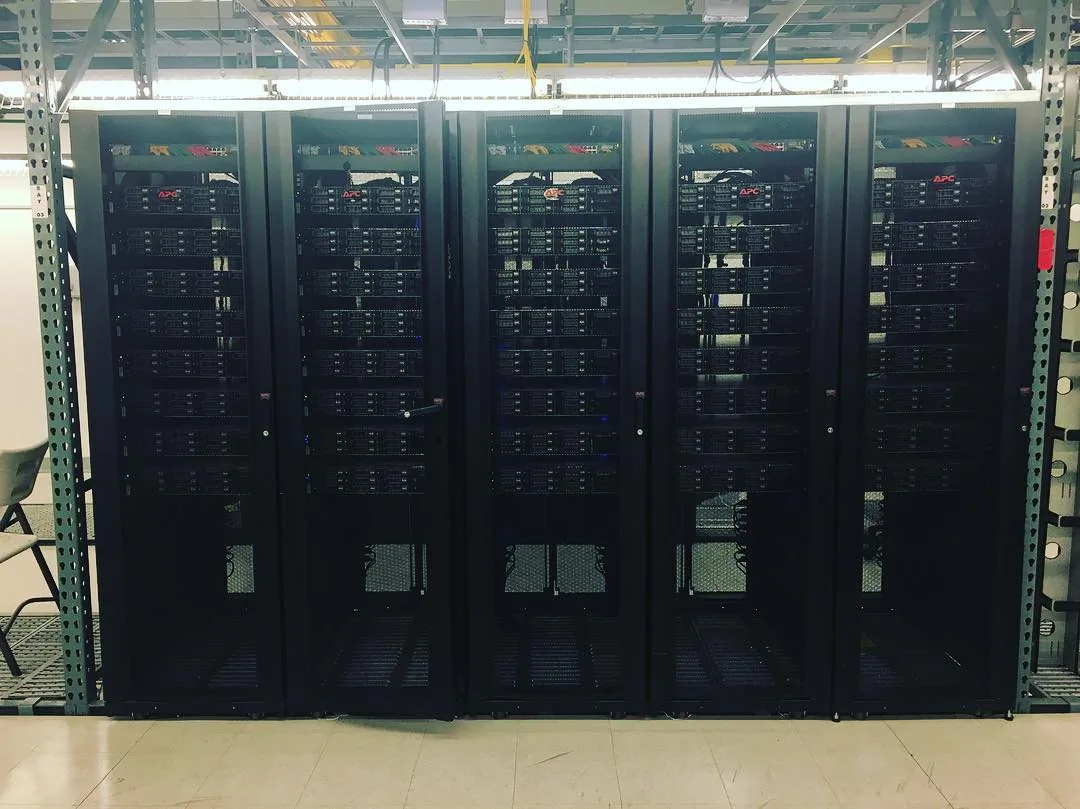
Image source: Wikimedia Commons - Data Center (CC BY-SA 4.0).
What Is an ESXi Firmware and Driver Update?
An ESXi firmware and driver update is the process of safely updating both hypervisor-level software and hardware-related software components on each host. The goal is not only to move to a newer version. The goal is to reduce risk, preserve compatibility, and keep service disruption predictable.
In Broadcom documentation, the image model represents the target software state for a cluster. Keeping host images consistent across a cluster simplifies operations and troubleshooting.
Recommended Flow with vSphere Lifecycle Manager
This is a practical low-risk flow for medium and large environments.
1) Define the exact target
- Technical target: for example ESXi 8.0 Update 3i
- Time target: maintenance window and rollback window
- Business target: acceptable service impact
2) Build your image design
Broadcom describes 4 main image elements:
- ESXi base image
- Vendor add-on
- Firmware and drivers add-on
- Independent components
This structure helps you move from ad-hoc patching to a controlled software standard.
3) Run compatibility and risk checks
- Validate host model and vendor add-on compatibility
- Inventory current host state and drift
- Confirm impact on critical workloads
4) Stage before remediation
Lifecycle Manager staging pre-downloads required components and reduces host maintenance time during the live window.
5) Remediate and validate
- Remediate in planned waves
- Verify host compliance after remediation
- Validate VM placement, storage, network, and management access
When Should You Use ESXCLI?
In Broadcom docs, ESXCLI upgrades are discussed with VIBs, image profiles, and software depots.
Typical ESXCLI use cases:
- Isolated environments with offline bundles
- Targeted host-level maintenance workflows
- Recovery or advanced automation scenarios
For day-to-day production standardization, image-based lifecycle operations usually provide better consistency.
Staging, Maintenance Windows, and Validation
| Phase | Goal | Success Metric |
|---|---|---|
| Pre-check | Compatibility and risk visibility | Host compatibility report completed |
| Staging | Shorter maintenance duration | Required packages preloaded |
| Remediation | Converge to target image | Host compliance passed |
| Post-check | Service continuity | VM, storage, and network tests passed |
Example operational targets:
- Planned maintenance per host: 20-40 minutes
- Critical service validation: 10-15 minutes
- Rollback trigger window: first 5-10 minutes of critical fault
Common Mistakes and How to Avoid Them
Mistake 1: Updating ESXi only
Ignoring firmware and drivers can still lead to instability even after a successful ESXi version upgrade.
Mistake 2: Full production rollout without pilot
Run a pilot cluster first, then move in controlled waves.
Mistake 3: Skipping staging
Direct remediation without staging can increase maintenance time and operational pressure.
Mistake 4: Minimal validation
Real validation requires VM state checks, storage paths, network health, and alert silence verification.
Copy-Paste Update Checklist
- Target ESXi version and build are confirmed.
- Lifecycle Manager image components are finalized.
- Firmware and drivers add-on compatibility is validated.
- Pilot host or pilot cluster test is complete.
- Staging is completed before the live window.
- Host remediation sequence is documented.
- Rollback criteria and owners are defined.
- Post-update validation tests are completed and logged.
Where to Start with Leon-X
If you want to operationalize ESXi update quality in Ankara, the best first step is to consolidate host inventory, lifecycle policy, and maintenance governance into one standard runbook.
Related pages:
Frequently Asked Questions
Is an ESXi update the same as a firmware update?
No. ESXi update affects the hypervisor software layer. Firmware update affects low-level server component software. Stable operations require both layers to be planned together.
Can I update without vSphere Lifecycle Manager?
Yes. You can use ESXCLI and offline bundles. But for multi-host environments, centralized lifecycle operations are usually more repeatable and auditable.
Can I guarantee zero downtime during updates?
Not in every scenario. However, staging, wave-based remediation, and strict validation can significantly reduce business impact.
Why is build tracking important in 2026?
Patch levels move quickly inside the same major release. For example, the February 24, 2026 release line for ESXi 8.0 Update 3i includes specific package and driver-level changes. Always validate release notes against your change date.
Conclusion
VMware ESXi firmware and driver updates are not routine patch work. They are business continuity operations. A stable model combines image-based lifecycle standards, staging discipline, and evidence-based post-checks. That is how update quality becomes repeatable across teams.
For a tailored lifecycle standard for your environment, you can contact us.
Sources
- Broadcom TechDocs - What is vSphere Lifecycle Manager
- Broadcom TechDocs - vSphere Lifecycle Manager Baselines and Images
- Broadcom TechDocs - ESXi Update and Patch Release Notes
- Broadcom TechDocs - VMware ESXi 8.0 Update 3i Release Notes
- Broadcom TechDocs - Upgrading Hosts by Using ESXCLI Commands
- VMware Cloud Foundation Blog - What's New in VMware vSphere 8 Update 3?
- Wikimedia Commons - Data Center (image source, CC BY-SA 4.0)