The short answer to how to reduce Dell PowerEdge server power consumption is this: measure first, then tune the BIOS system profile, iDRAC power cap policy, PSU behavior, and workload density together. The most common mistake is to interpret power cost from a single watt label. Dell’s official documentation instead shows that PowerEdge environments support power monitoring through iDRAC, power cap policy when supported by the PSU, and central visibility through OpenManage Enterprise Power Manager. This guide is for teams that want to lower electricity use without damaging performance blindly.
This guide is especially for:
- system and infrastructure teams operating Dell PowerEdge servers
- datacenter managers trying to reduce per-rack energy budgets
- IT leaders building visibility through iDRAC and OpenManage
- architecture teams treating power, thermals, and capacity as one design problem
Quick Summary
- Dell iDRAC supports viewing PowerEdge power consumption across
hours,days, andweeks. - Dell’s Lifecycle Controller guide states that the default
System ProfileisPerformance Per Watt Optimized (DAPC). - Dell’s iDRAC power configuration guide states that power cap policy is available only if the PSU supports power monitoring.
- OpenManage Enterprise Power Manager consumes data from iDRAC and helps identify efficiency gains and wasteful costs.
- The right sequence is not “throttle first.” The right sequence is measure, validate the profile, and then apply a controlled cap if needed.
Table of Contents
- What Really Drives PowerEdge Power Consumption?
- What Should You Measure in the First 30 Minutes?
- Why Is the System Profile Setting So Important?
- When Should You Use Power Cap?
- What Does OpenManage Enterprise Power Manager Add?
- What Mistakes Happen Most Often?
- Related Articles
- Checklist
- Next Step with Leon-X
- Frequently Asked Questions
- Sources
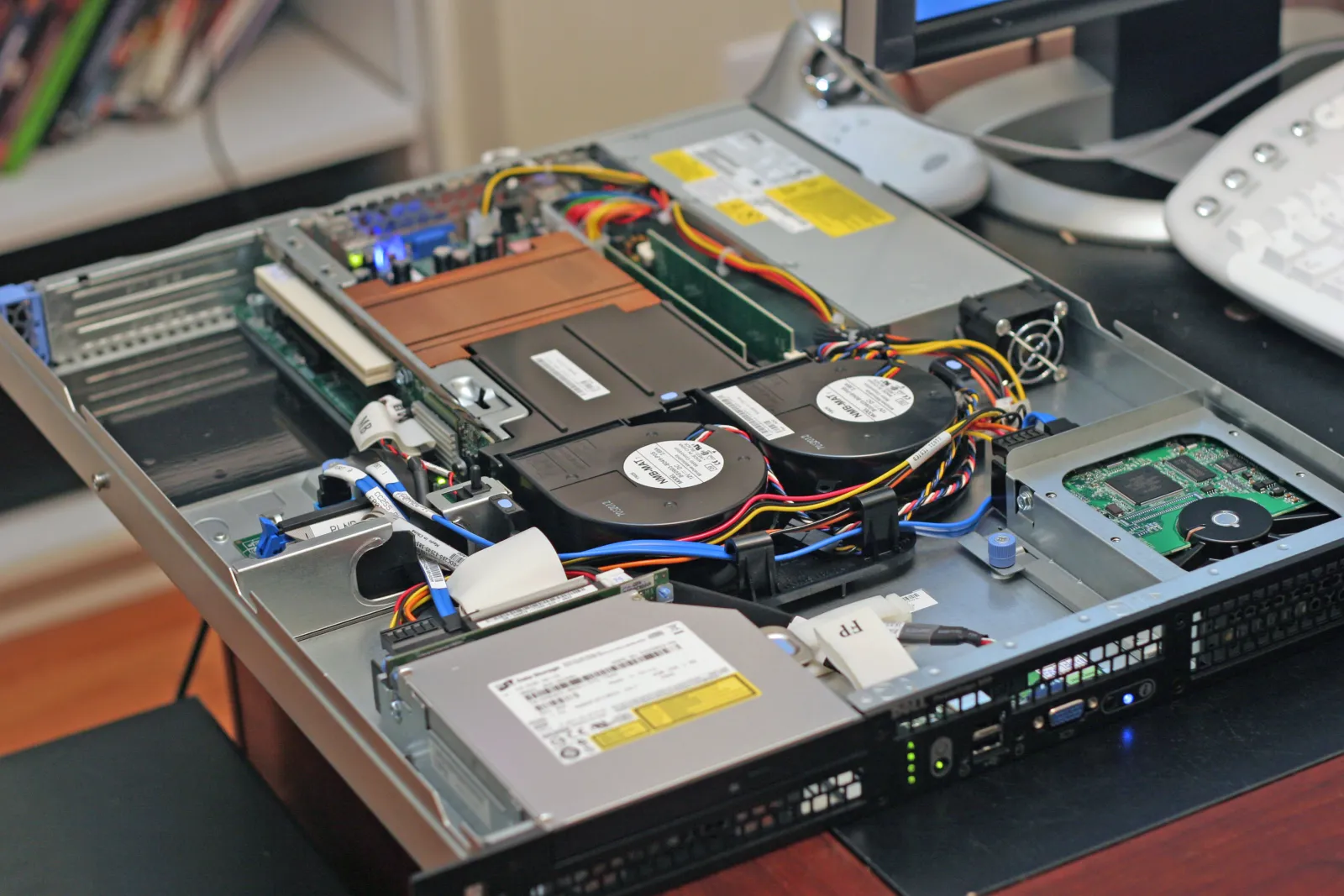
Image: Wikimedia Commons - Inside and Rear of Webserver.
What Really Drives PowerEdge Power Consumption?
Power consumption is not explained by CPU TDP alone. In practice, these layers matter together:
- the BIOS system profile
- live workload intensity
- fan and thermal response behavior
- PSU capability and power monitoring support
- rack temperature and airflow quality
That is why a PowerEdge power-reduction project should not start with “just slow the server down.” The stronger first step is to identify when consumption rises, which systems are true power offenders, and which time windows create the peaks. Operationally, this usually belongs under Hardware & Software Services, especially Server Installation, Configuration and Commissioning.
What Should You Measure in the First 30 Minutes?
Dell’s official video and iDRAC documentation show that first-line visibility can come directly from iDRAC.
First data points to check in iDRAC
- current power consumption under
System > Power - historical views across
hours,days, andweeks - PSU health state
- warning thresholds if configured
This matters because optimization without measurement usually changes the wrong system. A server with a true sustained high load needs a different response than one with short-lived peaks.
Practical sequence:
- collect the iDRAC power history
- separate baseline load from peak load
- review thermal and fan behavior together
- only then change the BIOS profile or power cap settings
Why Is the System Profile Setting So Important?
Dell’s Lifecycle Controller documentation explicitly states that the default System Profile is Performance Per Watt Optimized (DAPC). That is a critical starting point because many organizations never verify this after the initial deployment.
Why does DAPC matter?
- it manages system behavior through Dell Active Power Controller logic
- it aims for performance-per-watt instead of aggressive raw performance
- it is often a more balanced baseline than a maximum-performance profile
The operational conclusion is straightforward: before looking for an “energy saving mode,” confirm what the system is already using. If Performance Per Watt Optimized (DAPC) is already active, further gains may require workload placement or a controlled power cap strategy instead. If the server was forced into a performance-first profile, simply correcting the profile can reduce energy use.
This also connects directly to rack-density and hosting design. That is why High Availability Server Infrastructure Solutions and the general Hardware & Software Services layer should be reviewed together.
When Should You Use Power Cap?
Dell’s iDRAC power configuration guide explains that power cap policy is available only when the PSU supports power monitoring. The same guidance also shows that administrators can enable the feature and either use recommended settings or enter user-defined limits.
When does power cap make sense?
- when a rack or PDU is approaching its budget limit
- when short-term capacity pressure needs to be contained
- when peak consumption should be held below a defined threshold
- when power budget distribution must be controlled across systems
When should it not be the first move?
- when the real problem is thermal design
- when the BIOS profile is still unverified
- when workload behavior has not been measured
- when performance impact has not been tested against SLA requirements
The right interpretation is that power cap is not a punishment tool. It is a controlled budgeting tool. Visibility comes first, profile review second, cap third if justified.
What Does OpenManage Enterprise Power Manager Add?
Dell’s OpenManage Enterprise Power Manager 3.5 guide states that the product communicates with iDRAC, CMC, PDU, and UPS to provide power-management data and execute control policies. The same guide also says that administrators can identify areas for efficiency gains and cut wasteful costs.
In practice, that means:
- you can move from single-server views to fleet-level visibility
- you can review energy behavior across groups
- you can centralize thermal and power events
- you can prioritize the biggest offenders first
This becomes especially valuable when multiple racks or multiple PowerEdge generations are involved. At that point, one-by-one optimization is not enough. You need portfolio-level visibility.
What Mistakes Happen Most Often?
Changing BIOS profiles before measuring consumption
Without measurement, a profile change creates uncertainty rather than optimization.
Looking for a “low power mode” before checking DAPC
Some systems may already be on the performance-per-watt baseline. The current state should be validated first.
Treating power cap as the primary solution
Cap is useful, but it belongs after visibility and design validation. It is not the first answer to every energy problem.
Ignoring PSU and rack-level design
Even a well-tuned server will not deliver the expected gains if rack thermals, airflow, or power distribution are poor.
Optimizing individual servers without central visibility
For fleet-level improvement, OpenManage Enterprise Power Manager provides a more defensible operating model than isolated server-by-server tuning.
Related Articles
- Dell Server Datacenter Design Guide: Rack, Power, and Cooling
- Dell Server High Availability Design Guide
- Dell Firmware Version Mismatch Problem
- Dell Server Firmware Update Failed Problem
Checklist
- iDRAC power history was collected across
hours,days, andweeks - baseline and peak consumption were separated
- the current
System Profilewas verified - PSU power-monitoring support was confirmed
- workload impact was tested before applying any power cap
- OpenManage Enterprise Power Manager was considered for centralized visibility
Next Step with Leon-X
Reducing Dell PowerEdge power consumption is not a single BIOS tweak. It requires visibility, profile selection, power cap control, thermal design, and rack planning to be treated together. Leon-X supports this through Hardware & Software Services, especially Server Installation, Configuration and Commissioning and High Availability Server Infrastructure Solutions. To assess your environment or request a proposal, continue through the Contact page.
Frequently Asked Questions
What is the first step to reduce Dell PowerEdge power consumption?
Measurement. iDRAC power screens and historical graphs should be reviewed before changing any server setting.
What does DAPC mean?
DAPC stands for Dell Active Power Controller and is used in the default performance-per-watt system profile.
Can power cap reduce performance?
Yes. That is why the workload impact and SLA effect should be validated before enforcing a lower power limit.
Is OpenManage Enterprise Power Manager only a reporting tool?
No. Dell documents both visibility and control-policy functions through the platform.
Should a high-power server always trigger a PSU replacement?
No. The issue may come from workload placement, thermal behavior, or profile settings rather than only PSU selection.
Sources
- Dell iDRAC9 User's Guide - Monitoring and Managing Power in iDRAC
- How to Monitor the Power Consumption of PowerEdge Servers - Dell Video
- Lifecycle Controller GUI - System Profile Settings Screen
- Configuring Power Cap Policy using iDRAC Settings Utility
- OpenManage Enterprise Power Manager Version 3.5 User's Guide
- Wikimedia Commons - Inside and Rear of Webserver