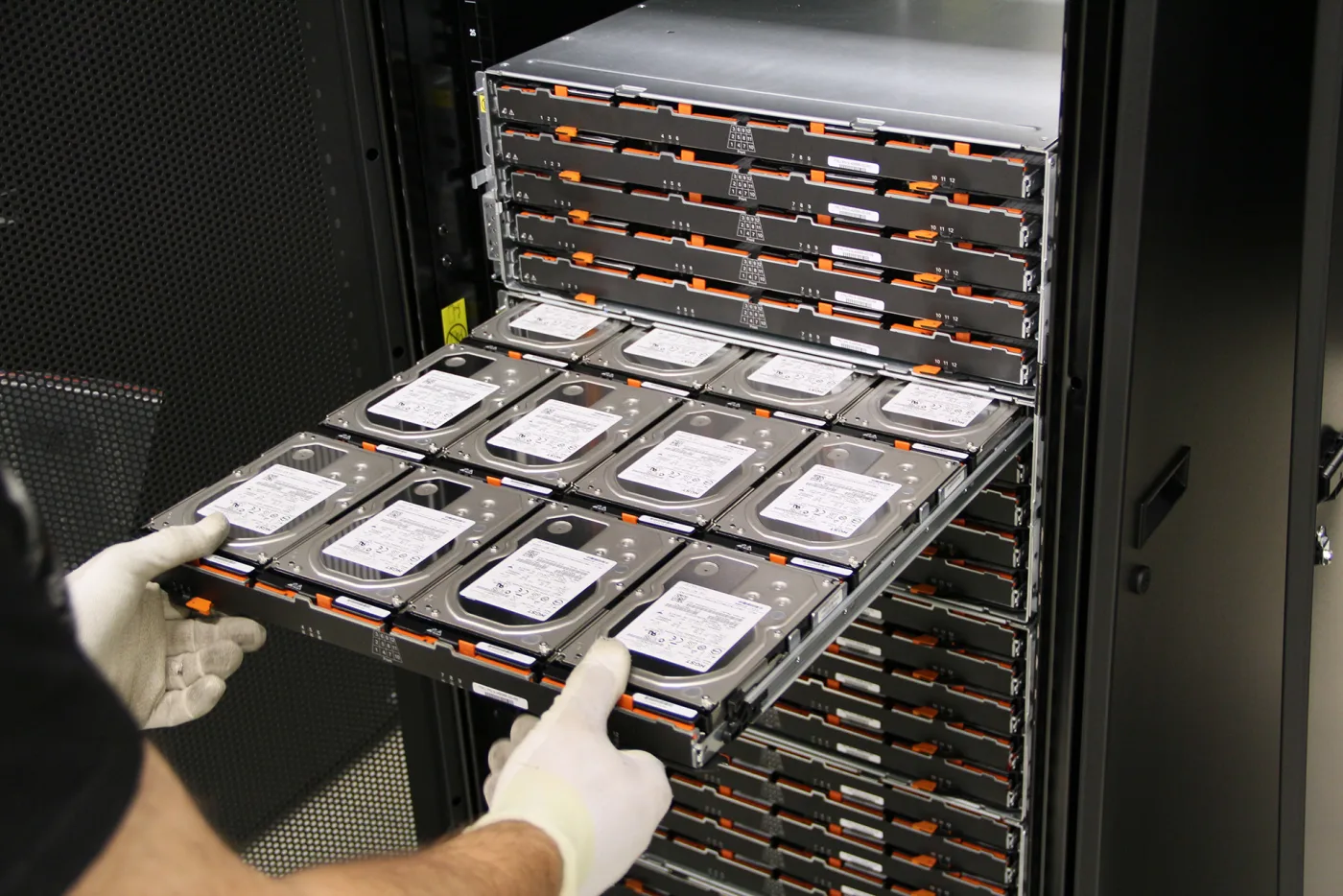
A VMware vSAN Cluster Degraded alert means the cluster's data resiliency or service-health posture has dropped below the expected steady-state level. The short answer is this: in the June 16, 2025 context, the safest way to respond is to separate host loss, disk-group issues, network problems, and object-compliance problems first, then evaluate vSAN Health, host connectivity, disk-group status, and resync queues together. This guide is written for teams that want a safer troubleshooting path when vSAN health degrades.
This guide is especially for:
- VMware administrators
- storage and virtualization teams
- datacenter operations teams
- IT teams facing degraded vSAN cluster health
Quick Summary
vSAN Cluster Degradeddoes not point to one specific fault type; it describes a reduced health state.- Common causes include host connectivity loss, disk-group failure, network issues, object compliance loss, and delayed resync activity.
- First separate cluster-wide condition from the exact failed component.
- Reading the alert alone is not enough; the broken health category must be identified.
- Resync activity and host status must be interpreted together.
- That is why troubleshooting should cover host, disk, network, and object-health layers in one chain.
Table of Contents
- What Does vSAN Cluster Degraded Mean?
- What Should Be Checked in the First 10 Minutes?
- What Are the Most Common Causes?
- Which Interventions Are More Risky?
- How Do You Prevent Repeat Incidents?
- Quick Response Checklist
- Frequently Asked Questions

Image: Pexels - close-up photo of computer cables.
What Does vSAN Cluster Degraded Mean?
This alert means the vSAN cluster has dropped below its expected resiliency or service-health posture. The issue may show up as:
- one host falling out of the cluster path
- disk-group or cache-device failure
- objects becoming non-compliant with policy
- network partition or packet loss
- long-running or stalled resync activity
So degraded does not always mean a full outage, but it does mean the cluster may no longer be operating at normal fault tolerance.
What Should Be Checked in the First 10 Minutes?
The first goal is to identify the exact health category behind the alert. A useful order is:
- Check which vSAN Health test category is red or yellow.
- Confirm whether all hosts remain connected in the cluster.
- Review disk-group, cache-device, and capacity-device health.
- Validate whether the vSAN network shows latency, packet loss, or partition symptoms.
- Review resyncing components and object-compliance state.
This first split keeps you from focusing on the wrong component too early.
What Are the Most Common Causes?
The most common causes behind VMware vSAN Cluster Degraded are:
- host connectivity loss or unexpected maintenance
- disk-group failure
- cache-device problems
- vSAN network latency or partition
- objects becoming temporarily non-compliant with policy
- large resync backlogs and slow recovery
Broadcom documentation emphasizes that degraded-health incidents should first be separated by the specific health category and the related object-compliance state. A host or network issue can produce a similar top-level degraded condition, but the response path differs materially.
Which Interventions Are More Risky?
A safer approach is:
- separating the alert by health category
- validating host, disk-group, and network state together
- understanding resync impact before making disruptive changes
- using maintenance actions only after checking cluster resiliency
A riskier approach is:
- putting another host into maintenance mode immediately after seeing a degraded alert
- making rushed disk interventions while resync is still active
- changing storage behavior without validating the network layer
- closing the incident before compliance returns
The goal is to restore health without reducing cluster resiliency further.
How Do You Prevent Repeat Incidents?
Permanent prevention usually requires review of:
- vSAN network capacity and latency visibility
- host and disk-group health monitoring
- object-compliance alerting
- resync behavior and spare-capacity strategy
- maintenance-mode operational standards
- firmware and driver alignment
Repeated degraded alerts can indicate that cluster resiliency is too thin for normal operational load.
Quick Response Checklist
- Identify the exact health category behind the alert.
- Check host connectivity state.
- Review disk-group and cache-device health.
- Validate vSAN network latency and partition risk.
- Inspect resyncing components and policy compliance.
- Update capacity, network, and maintenance standards after recovery.
Related Content
Next Step with Leon-X
In vSAN degraded incidents, the permanent fix is not just clearing an alert. Leon-X helps teams improve VMware storage and cluster resiliency by reviewing health, networking, disks, and operational procedures together.
Related pages:
Frequently Asked Questions
What does vSAN Cluster Degraded mean?
It means the cluster's data-health or availability posture has dropped below the expected resiliency level.
What is the most common cause?
Host loss, disk-group failure, network problems, and object compliance loss are among the most common causes.
Can VMs continue running while the alert is active?
Yes. But cluster resiliency may be reduced, and a second failure can create much higher risk.
What should I watch during resync?
Additional maintenance actions or aggressive disk changes can make recovery harder if you do not understand the current resync load first.
What prevents repeat incidents?
Better vSAN network visibility, spare capacity, health alerting, and disciplined maintenance procedures.
Conclusion
A VMware vSAN Cluster Degraded alert means the cluster has fallen below its expected health and resiliency posture. In the June 16, 2025 context, the strongest response is to identify the exact health category, review the host-disk-network-object chain together, and recover the cluster without reducing resiliency further.