For most organizations, asking how a Fortinet firewall works really means asking how FortiGate handles a packet, decides which policy applies, tracks the session statefully, applies NAT and security controls, and determines whether traffic can be accelerated in hardware. The short answer is this: FortiGate makes a route and policy decision on the first packet, tracks the session in its session table, applies NAT and inspection when needed, and offloads eligible traffic to hardware acceleration when the conditions are met.
This guide is especially for:
- network and security teams
- FortiGate administrators
- SOC and operations teams
- IT leaders who want to understand firewall behavior as packet flow, not just a list of rules
Key Takeaways
- FortiGate works as a stateful firewall, which means it tracks sessions instead of evaluating every packet in isolation.
- Fortinet documentation shows that each session is stored in a session table, where teams can see the matched policy number, NAT details, and protocol state.
- Firewall policy match is based on
Source_interfaces / Protocol / Source_Address / Destination_Addresstogether with the relatedsource-portanddst-port. - Fortinet’s NP7 / NP7lite packet-flow documentation explains that the first packet determines whether the session can be offloaded to the fast path.
- If there is no proxy-based UTM/NGFW and the traffic meets the requirements, many sessions can be hardware-offloaded.
- For HA, Fortinet’s official active-passive example uses
group-id 1,device priority 128+, and heartbeat interfacesha1andha2.
Table of Contents
- What Does a Fortinet Firewall Actually Do?
- Why Is the Stateful Firewall Model So Important?
- How Are Policy Match and NAT Decisions Made?
- How Do Packet Flow and NP Offload Work?
- Why Should HA and Continuity Be Treated as Part of the Same Design?
- What Are the Most Common Mistakes?
- Related Articles
- Checklist
- Next Step with Leon-X
- Frequently Asked Questions
- Sources
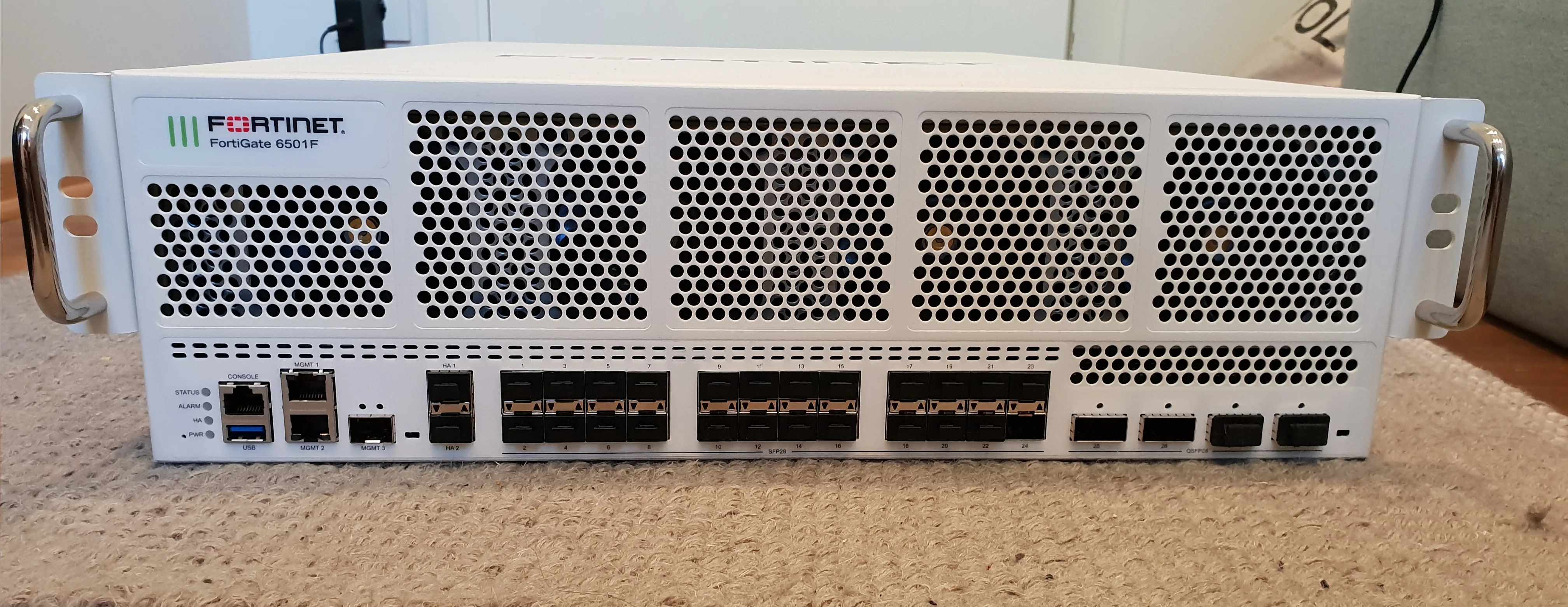
Image: Wikimedia Commons - Fortinet FortiGate 6501F.
What Does a Fortinet Firewall Actually Do?
In practice, a Fortinet firewall is not only an “allow or block” device. FortiGate evaluates traffic through several layers at once:
- route and interface logic
- firewall policy match
- session creation
- NAT behavior
- attached UTM or NGFW profiles
- hardware acceleration eligibility
That is why understanding FortiGate only from the firewall-policy page is not enough. The real behavior starts with the first-packet decision and continues through the session table.
Fortinet’s session-table documentation makes this clear: each session entry stores more than connection existence. It also exposes which policy matched, what NAT values were used, and what protocol state the firewall sees. In production troubleshooting, fields such as policy id, proto_state, nsrc, and nport matter a great deal.
Why Is the Stateful Firewall Model So Important?
Fortinet’s own administration guide gives the core logic directly: a stateful firewall tracks sessions and only allows packets that conform to the expected session state.
That has several practical consequences:
- the first TCP
SYNpacket is not treated the same way as later packets in the same flow - return traffic does not require a separate manual rule for every reply packet
- NAT, traffic shaping, IPS, and logging are all applied in the context of a session
The session-table guide also lists protocol-state handling in detail. For TCP, FortiGate uses a 2-digit proto_state; for UDP, it still tracks whether a reply has been seen even though UDP is commonly described as stateless.
Without that stateful model, teams cannot correctly interpret issues such as:
- traffic appears to hit a policy, but the session never stabilizes
- NAT is enabled, but the expected translated address is not visible outside
- an inspection profile is enabled, but it is not actually affecting the session
- HA failover is expected to preserve continuity, but the session behavior changes
How Are Policy Match and NAT Decisions Made?
Fortinet’s firewall-policy documentation defines policy match more precisely than many teams expect. The decision is based on:
Source_interfacesProtocolSource_AddressDestination_Address- the related
source-port - the related
dst-port
That matters because many teams only compare source and destination IPs and assume the policy must be correct. In reality, a mismatch can still come from:
- the wrong ingress interface
- an incorrect service or port object
- a missing route
- a transparent-mode limitation
Fortinet also explicitly notes that the required route must already exist when using policy match. That means routing must be checked alongside the policy whenever traffic seems to “match but still not pass.”
NAT analysis follows the same logic. Fortinet’s session-table guide explains that, during troubleshooting from the remote side, the translated source address and port can be validated through nsrc and nport. This is especially important when many internal IP addresses are NATed behind the same external address.
How Do Packet Flow and NP Offload Work?
Fortinet’s Packet flow: first packet of an NP session documentation clarifies the performance model:
- the first packet is processed by the CPU
- FortiGate evaluates whether the session meets fast-path requirements
- if the session qualifies, the session key and configured action are sent to the network processor
- later packets can then be handled in hardware
The key point is that not every session is automatically offloaded.
Fortinet explicitly notes that many sessions can be offloaded when:
- there is no proxy-based UTM/NGFW
- the traffic meets fast-path requirements
- the FortiGate includes
NP7orNP7lite
That is why performance reviews should avoid simplistic assumptions such as:
- “the firewall is hardware-based, so all traffic is ASIC-accelerated”
- “low CPU means the firewall is not the bottleneck”
- “inspection can be enabled without affecting packet handling”
The better question is always: which path is this session following, why was it or was it not offloaded, and which inspection setting changed that outcome?
Why Should HA and Continuity Be Treated as Part of the Same Design?
Fortinet’s HA active-passive cluster setup guide documents the official active-passive model. The reference example includes:
- mode:
Active-Passive - device priority:
128or higher - group-id:
1 - heartbeat interfaces:
ha1andha2
The same guide also notes that, apart from device priority, the settings must match across cluster members, and that connectivity may be temporarily lost while the cluster negotiates and FGCP changes interface MAC addresses.
This matters because firewall behavior in production is never only about policy logic:
- continuity depends on failover design
- session behavior depends on HA expectations
- heartbeat and monitored interfaces are operational design inputs, not afterthoughts
That is why the service-path design for this topic should be viewed together:
- the broad delivery area is Hardware and Software Solutions
- deployment and integration live in Router, Switch and Firewall Deployment Service
- governance and rule standardization fit under Business Management Services
- policy standardization aligns with Network Security Policy Management
- project scoping starts through Contact
What Are the Most Common Mistakes?
Treating the firewall like a simple ACL device
FortiGate works through sessions, NAT, inspection, shaping, and HA behavior. Looking only at rule order produces weak diagnosis.
Separating routing from policy analysis
Fortinet explicitly warns that policy match depends on the route already existing. A correct rule is not enough if routing is broken.
Making decisions without the session table
If teams do not inspect the matched policy, NAT values, and protocol state in the session table, they usually miss the real control path.
Ignoring the relationship between inspection and offload
Proxy-based inspection and other security behaviors can change whether traffic stays on the fast path. That changes performance interpretation directly.
Treating HA as a later add-on
If failover design is left to the end, the firewall may appear to work in steady state while continuity remains weak.
Related Articles
- What Is FortiGate SSL Inspection and How Should It Be Planned?
- Cybersecurity Consulting: 2026 Checklist for SMBs
- How to Fix VMware Network Not Working
Checklist
- The incoming interface and required route were validated
- Policy match was checked at interface, protocol, address, and port level
- The session table was reviewed for policy ID, NAT, and state details
- Inspection settings were checked for their impact on offload behavior
- HA heartbeat and failover expectations were validated
- Router, switch, and firewall behavior were evaluated in one troubleshooting flow
Next Step with Leon-X
Understanding Fortinet firewall behavior correctly means handling policy standards, inspection logic, performance, and continuity as one operating model. Leon-X supports this through Hardware and Software Solutions, especially Router, Switch and Firewall Deployment Service, together with Business Management Services and Network Security Policy Management. To review your current FortiGate design or request a proposal, continue through the Contact page.
Frequently Asked Questions
What is the shortest practical answer to how a Fortinet firewall works?
FortiGate decides route and policy on the first packet, creates a session, applies NAT and inspection if needed, and offloads eligible traffic to hardware acceleration.
Why is the session table so important?
Because it shows the matched policy, NAT information, and protocol state in one place. It is one of the most useful troubleshooting layers in FortiGate.
Does every FortiGate session go through ASIC acceleration?
No. Fortinet documentation states that the first packet determines whether the session qualifies for fast-path offload. Some inspection modes reduce or prevent offload.
If the firewall policy is correct, does traffic always pass?
No. Missing routes, wrong services, wrong interface direction, or inspection-side effects can still break the flow.
Why is HA part of firewall behavior, not a separate topic?
Because failover, session continuity, and operational uptime directly affect how the firewall behaves in production.
Sources
- Fortinet Document Library - Using a session table (FortiGate / FortiOS 7.4.8 Administration Guide)
- Fortinet Document Library - Firewall policy (FortiGate / FortiOS 7.6.5 Administration Guide)
- Fortinet Document Library - Packet flow: first packet of an NP session (FortiGate / FortiOS 7.6.0)
- Fortinet Document Library - HA active-passive cluster setup (FortiGate / FortiOS 7.6.1 Administration Guide)
- Wikimedia Commons - Fortinet FortiGate 6501F