A Dell server datacenter design guide should not begin with server model selection alone. Most infrastructure issues appear later, when rack depth, rail compatibility, power redundancy, cooling behavior, cable clearance, and management visibility were treated as afterthoughts. The stronger approach is to design the hosting model as a whole. In short: for Dell PowerEdge environments, healthy data center design comes from planning rails, power, cooling, cabling, and operations together.
This guide is especially useful for:
- infrastructure teams planning new rack capacity
- organizations investing in Dell PowerEdge servers
- managers reviewing power and cooling risk before expansion
- engineers who want to align physical layout with continuity goals
Quick Summary
- Dell explicitly points customers to the Enterprise Systems Rail Sizing and Rack Compatibility Matrix for rail type, rack flange fit, depth, and cable-management details.
- The Dell Enterprise Infrastructure Planning Tool is useful for modeling power and capacity, but Dell also notes that actual workload measurements should validate estimates.
- Reference PowerEdge manuals commonly document standard continuous operation around
10°C–35°C; exact limits still need to be confirmed per chassis. - Dell’s Energy Smart rack guidance shows how containment design can support rack densities of
25 kWor more in the right environment. - Strong data center design is not only physical. It also includes iDRAC, OpenManage, and alert visibility.
Table of Contents
- What Does Dell Server Datacenter Design Include?
- How Should Rack and Rail Planning Be Done?
- How Should Power Capacity and Redundancy Be Sized?
- Why Are Cooling and Airflow Central to the Design?
- How Should Cabling and the Management Layer Be Designed?
- Checklist
- Frequently Asked Questions
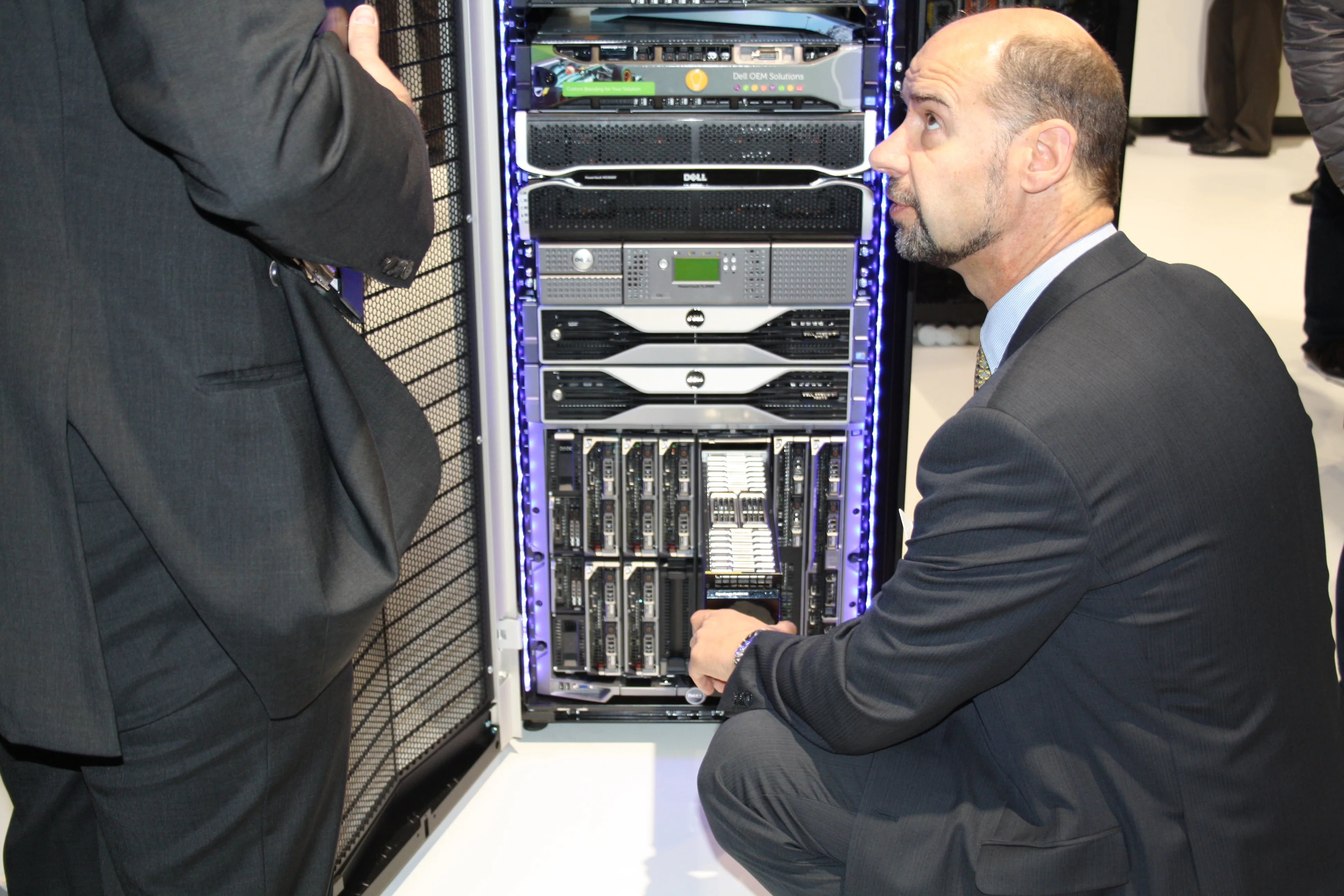
Image: Wikimedia Commons - Experience our server racks.
What Does Dell Server Datacenter Design Include?
Data center design is not just a question of “how many servers do we need?” A complete plan must include:
- rack height and depth
- rail and cable-management compatibility
- feed path, PSU policy, and PDU capacity
- hot aisle / cold aisle airflow behavior
- cable density and service clearance
- iDRAC, OpenManage, and alert visibility
That is why a Dell server deployment should begin with layout logic rather than a simple hardware list. Fitting servers into a rack is not the same as operating them safely and predictably.
How Should Rack and Rail Planning Be Done?
Dell PowerEdge installation manuals direct customers to the Enterprise Systems Rail Sizing and Rack Compatibility Matrix for rail planning. That matters because rail design is not just a mounting detail.
Why is the rail matrix important?
- it validates flange compatibility
- it clarifies depth requirements
- it changes the space needed when cable-management arms are used
- it affects how far a server can be extended for maintenance
In practice, the most common mistakes are:
- choosing a long chassis for a shallow rack
- ignoring rear cable allowance
- forgetting door-clearance impact after adding cable-management arms
- mixing different rail assumptions in the same rack row
A practical minimum workflow looks like this:
- define the PowerEdge model
- verify the compatible rail type in the matrix
- check internal rack depth and rear clearance together
- reserve cable space for PDU and network patching
How Should Power Capacity and Redundancy Be Sized?
The Dell Enterprise Infrastructure Planning Tool is one of the most useful official starting points for power planning. Dell also makes an important point: modeling helps, but real workload behavior can vary significantly, so field measurements should confirm the estimate.
What questions should the power plan answer?
- what is the expected rack load in kW
- is the target N+1 or full PSU redundancy
- which services must survive a single PDU failure
- how much growth headroom remains in the rack
- will the design include GPUs or high-TDP processors
Poor power planning usually leads to:
- PSUs operating too close to peak load
- phase imbalance on PDU circuits
- higher thermal stress and fan noise
- no capacity left for the next expansion wave
That is why a power design should include both the day-one deployment and at least the next growth step.
Why Are Cooling and Airflow Central to the Design?
Dell PowerEdge environmental documents for reference systems commonly show standard continuous operation around 10°C–35°C. Humidity and altitude limits vary by model, so the installation manual for the exact chassis still needs to be checked.
Why is room temperature alone not enough?
Because what matters is the actual inlet air seen by the server, not just the CRAC setpoint. Dell’s Energy Smart containment rack guide explains how containment can improve raised-floor cooling performance and support rack densities of 25 kW or more in suitable scenarios.
Dell’s thermal design articles support the same idea: fan design, airflow paths, and thermal control behavior inside the chassis are part of the cooling strategy. Cooling is not only an environmental issue; it is an architectural one.
Practical airflow rules
- preserve hot aisle / cold aisle separation
- keep rack front and rear orientation consistent
- use blanking panels for unused U spaces
- avoid rear-door or cable blockage of exhaust flow
- do not stack the hottest nodes without thermal review
This matters even more in GPU, dense storage, or high-core-count environments, where “it fits in the rack” is not an acceptable design standard.
How Should Cabling and the Management Layer Be Designed?
A good datacenter design also assumes that an engineer may need to service the system at an inconvenient hour under pressure. Poor cabling leads to:
- restricted airflow
- accidental port removal
- limited rail movement during service
- longer device replacement windows
Minimum cabling discipline
- separate iDRAC, production, and storage networks
- keep patch panel and switch labeling consistent
- use role-based color standards
- plan vertical and horizontal cable-routing paths
Why is management visibility part of design?
Dell OpenManage Enterprise Power Manager provides power, thermal, and utilization visibility. If the management layer is ignored during design, the rack may run, but it becomes difficult to measure, optimize, and scale cleanly.
Related Content
- How to Configure a Dell PowerEdge Server for ISO 27001
- Dell Server Firmware Update Failed Issue
- Dell Server SSH Security for ISO 27001 Compliance
Checklist
- Rack depth, rail type, and cable-management arm compatibility were verified
- Power budget and growth headroom were calculated per rack
- PSU redundancy policy was defined
- Hot aisle / cold aisle plan was reviewed
- Blanking panel strategy for unused U space was defined
- iDRAC and production networks were separated logically and physically
- OpenManage or equivalent monitoring layer was included in the design
- Front and rear service-clearance requirements were documented
Next Step with Leon-X
Dell server datacenter design is larger than a procurement list. If rack dimensions, power budget, cooling behavior, and management visibility are not planned together, the same infrastructure will hit operational limits much sooner than expected. Leon-X helps organizations plan PowerEdge architecture, physical rollout, commissioning, and long-term operational sustainability as one design stream.
Relevant pages:
- Hardware & Software Solutions
- High Availability Server Infrastructure Solutions
- Server Installation, Configuration and Commissioning
- Contact
Frequently Asked Questions
What should be checked first in a Dell server design?
Not the CPU or RAM list. Start with rack depth, rail compatibility, and service clearance. Physical fit is the base layer of a stable design.
Is the EIPT estimate a final capacity answer?
No. It is an official planning tool, but Dell also notes that workload behavior can vary and should be validated with actual measurements.
Is room temperature monitoring enough for cooling control?
No. Inlet air temperature, exhaust behavior, cable blockage, and rack containment all affect real cooling performance.
Are cable-management arms really necessary?
In dense racks, they are often worth it. They reduce service risk, improve maintainability, and help prevent accidental disconnections.
Why should datacenter design be treated as a service?
Because design errors create long-term cost in uptime, power, maintenance, and scalability, not just on the day of purchase.
Sources
- Dell Enterprise Infrastructure Planning Tool
- Dell Enterprise Systems Rail Sizing and Rack Compatibility Matrix
- Dell PowerEdge R670 Installation and Service Manual - Environmental Specifications
- Dell EMC PowerEdge R7425 Installation and Service Manual - Environmental Specifications
- Dell PowerEdge Energy Smart Containment Rack Enclosure Deployment Guide
- Dell Technologies Info Hub - Improved PowerEdge Server Thermal Capability with Smart Flow
- Wikimedia Commons - Experience our server racks