A "PSU Failure" alert on Dell PowerEdge servers is one of the most critical hardware warnings in datacenter operations because it creates both immediate risk and loss of redundancy. The Power Supply Unit (PSU) delivers stable DC power to the motherboard, CPU, memory, drives, and cooling subsystem. With redundant PSUs, a single failed unit usually keeps the host online, but a second failure or shared power-path outage can shut the server down completely. The short answer is: when a Dell server reports PSU Failure, identify the failed supply via iDRAC or rear LEDs, validate AC input and cabling, replace the unit with a matching hot-swap spare, and confirm that N+1 power redundancy is restored.
This guide is written for:
- Systems administrators managing Dell PowerEdge rack and tower servers
- Datacenter teams responsible for power continuity and UPS/PDU design
- Operations engineers monitoring hardware alerts through iDRAC
- IT managers operating redundant PSU architectures for high availability
Quick Summary
- Dell PowerEdge PSU failures usually appear as amber LEDs, LCD codes, and iDRAC event entries at the same time.
- In a dual-PSU design, one failed supply often leaves the OS running, but redundancy drops from
N+1toN. - Before replacing hardware, test AC voltage, the power cable, and the PDU/UPS outlet; many "PSU failures" are actually input-path issues.
- Hot-swap replacement removes the failed unit and inserts an original spare with the same wattage and form factor while the server stays online.
- After replacement, confirm both PSUs show
OKin iDRAC, firmware compatibility is clean, and redundancy status is restored.
Table of Contents
- What Is a PSU Failure Error?
- Symptoms: LEDs, LCD Codes, and iDRAC Alerts
- First 15 Minutes of Diagnostics
- Safe Hot-Swap PSU Replacement
- Validating Redundant Power Architecture
- Most Common Mistakes
- Related Articles
- Troubleshooting Checklist
- Next Step with Leon-X
- Frequently Asked Questions
- Sources
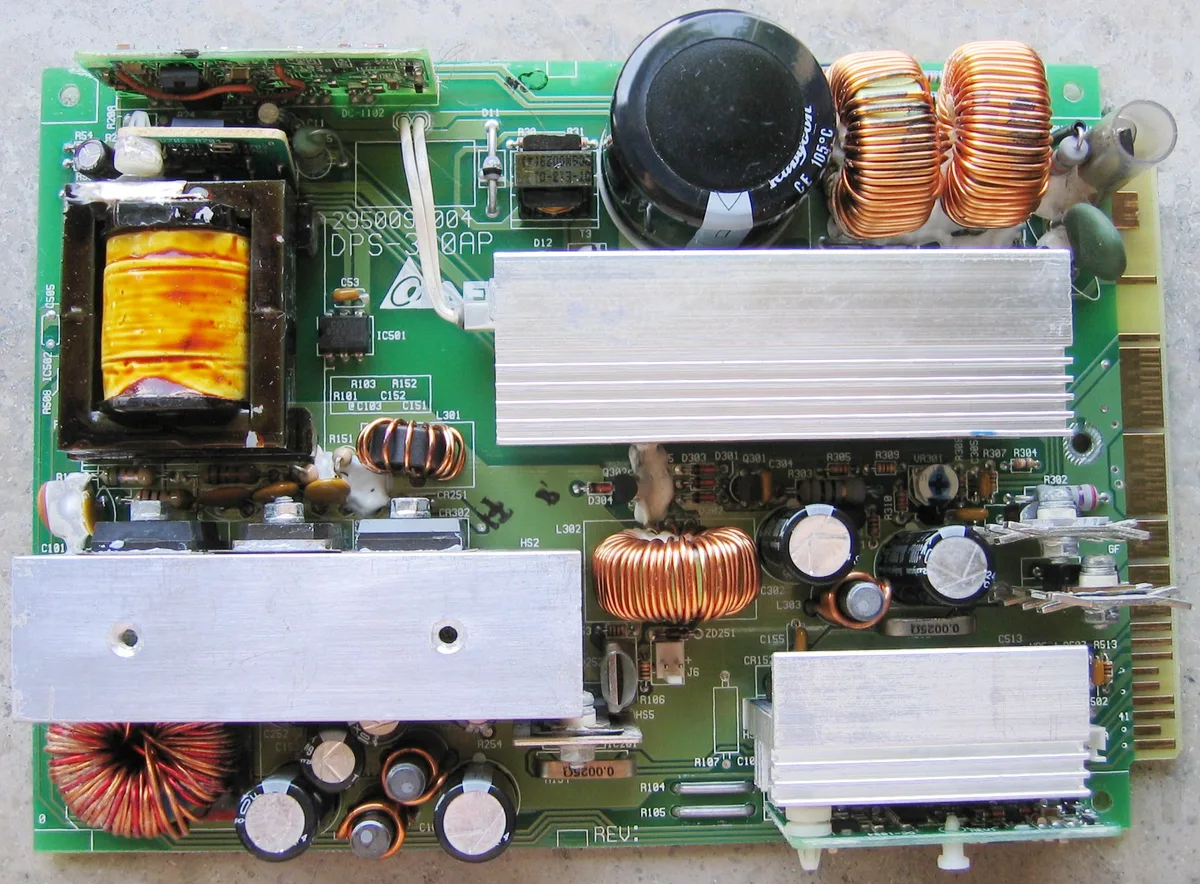
Image: Wikimedia Commons - Server PSU PCB.
What Is a PSU Failure Error?
PSU Failure means the Dell PowerEdge power supply can no longer deliver expected output voltage, has entered over-temp/over-current protection, or has lost health communication with iDRAC. Modern PowerEdge servers commonly ship with 2 hot-swap PSUs rated at 550 W, 750 W, 1100 W, or higher. A single failed PSU usually keeps the operating system online; the real operational risk appears when both PSUs share the same PDU bank or the same UPS path.
Typical root causes include:
- End-of-life fans or capacitors inside the PSU
- AC voltage instability or loss of a feed
- Loose power cables, bad PDU outlets, or UPS output faults
- Undersized wattage under peak load triggering protection
- Firmware or microcontroller communication faults between PSU and iDRAC
Symptoms: LEDs, LCD Codes, and iDRAC Alerts
1. Physical LED Indicators
Rear PSU LEDs are typically interpreted as:
- Solid green: PSU healthy; AC input and DC output are normal.
- Amber / blinking amber: Failure or predictive failure.
- LED off: No AC input, or the unit is completely dead.
The front health LED may also turn amber, and LCD models can scroll PSU1 / PSU2 fault codes.
2. Verification in iDRAC
In the iDRAC web console:
- Open System > Overview and check Power Supply status.
- Search System Event Log / Lifecycle Log for
PSU failure,Power supply input lost, orPower supply predictive failure. - Record the failed slot (
PSU1/PSU2), part number, and wattage rating.
Those details ensure the replacement spare matches form factor and capacity.
First 15 Minutes of Diagnostics
Do not shut the server down immediately. Follow this sequence:
- Identify the failed PSU using iDRAC or the rear LED.
- Swap the AC cable with a known-good cable. If the alert clears, the cable or PDU outlet is the culprit.
- Move to another PDU/UPS feed when possible to isolate upstream power issues.
- Reseat the PSU for
5-10 secondsif the chassis supports hot-swap redundancy; oxidized contacts can generate false alarms. - Validate wattage headroom. If only one PSU is online, confirm total draw stays below the remaining PSU rating.
Pro Tip: Feed the two PSUs from separate PDUs and, when possible, separate UPS systems. A single shared feed defeats the purpose of hardware redundancy.
Safe Hot-Swap PSU Replacement
Redundant Dell PowerEdge PSUs are usually hot-swappable, so replacement can happen while the host remains online.
Replacement steps
- Confirm the spare matches wattage, form factor, and Dell-approved part number.
- Unplug the AC cable from the failed PSU.
- Release the latch and slide the unit straight out of the bay.
- Insert the new PSU until it seats and locks.
- Reconnect AC power and wait
30-60 secondsfor a solid green LED. - In iDRAC, verify both PSUs report
OKand that "Redundancy lost" is cleared.
Single-PSU models are not hot-swappable; schedule a maintenance window and power down before replacement.
Validating Redundant Power Architecture
A green LED alone is not enough. Confirm operational continuity with these checks:
| Check | Expected result | Why it matters |
|---|---|---|
| PSU1 / PSU2 status | Both OK | Avoids single-point exposure |
| Redundancy status | Full or OK | Restores second-failure tolerance |
| Wattage match | Identical ratings | Keeps load sharing balanced |
| PDU separation | Different feeds | Survives line/UPS faults |
| iDRAC alerts | Cleared | Removes stale false positives |
Also confirm that OpenManage or your monitoring platform has cleared predictive-failure alerts for the replaced unit.
Most Common Mistakes
- Mixing wattage ratings: Installing a
550 Wspare next to a750 Wunit can break load sharing and trigger protection. - Replacing the PSU without testing the feed: The real fault may be the UPS outlet or a loose PDU socket.
- Plugging both PSUs into one PDU: Looks redundant, but one feed outage drops both supplies.
- Using firmware-mismatched spares: Very old or very new PSU firmware can keep iDRAC warnings active.
- Silencing the alert and delaying replacement: Running on one PSU multiplies the chance of a full outage.
Related Articles
- How to Fix Dell Server Fan Failure Errors
- How to Resolve Dell Server Disk Failure Errors
- How to Resolve Dell Server Overheating Issues
- How to Fix Dell Server Stuck at Initializing Firmware
Troubleshooting Checklist
- Identified the failed PSU slot (
PSU1/PSU2) via iDRAC or LEDs. - Tested AC cable, PDU outlet, and alternate UPS feed.
- Confirmed spare PSU wattage and form factor match the installed unit.
- Verified both PSU LEDs are green after hot-swap replacement.
- Confirmed iDRAC redundancy status is
OKand PSU Failure is cleared. - Connected the two PSUs to separate PDU/UPS feeds whenever possible.
Next Step with Leon-X
Unmanaged Dell PowerEdge PSU Failure alerts can escalate into full outages within hours. Wrong wattage selection, unplanned swaps, or single-feed power design create avoidable downtime. Leon-X provides original PSU procurement, hot-swap replacement, and redundant power validation under Hardware & Software Solutions. Through Server Maintenance, Warranty and Technical Support, we proactively monitor power, cooling, and hardware alerts. For PSU failures, spare parts, or on-site intervention, request a proposal on the Contact page.
Frequently Asked Questions
Why does the server stay online when one PSU fails?
In a redundant dual-PSU design, the healthy supply takes the full load. The OS continues running, but redundancy is gone until the failed unit is replaced.
Does hot-swap PSU replacement cause data loss?
With a healthy second PSU and correct redundant cabling, hot-swap replacement does not cause data loss. Always verify the surviving PSU is healthy in iDRAC before removing the failed unit.
Can I mix different PSU wattage ratings?
Dell recommends matched wattage pairs in the same chassis. Mixed ratings can unbalance load sharing and trigger protective shutdowns on some models.
The alert cleared after changing the cable. Do I still need a new PSU?
Stabilize the cable and feed first. If the alert does not return, the PSU may be healthy. If the warning reappears, replace the PSU due to predictive-failure risk.