Dell Server BIOS security for ISO 27001 is not just a Secure Boot checkbox. A defensible approach connects BIOS and UEFI settings, TPM status, iDRAC access, System Lockdown, firmware change control, and audit evidence into one operating model. That model helps security and infrastructure teams restrict unauthorized changes, prove control operation, and explain server-level risks during an ISO 27001 audit.
This guide is written for:
- information security teams preparing for ISO 27001
- infrastructure teams managing Dell PowerEdge servers
- operations teams responsible for iDRAC, firmware, and server lifecycle processes
- IT leaders who need stronger evidence for technical security controls
Quick Summary
- ISO 27001 treats BIOS security as part of risk management, asset control, change governance, and evidence production.
- Key Dell PowerEdge controls include Secure Boot, TPM, BIOS/UEFI profile standards, iDRAC access restrictions, and System Lockdown.
- BIOS changes should be tied to CMDB records, approved change tickets, Lifecycle Log events, and centralized SIEM visibility.
- Auditors need more than screenshots: access matrices, profile standards, exception records, and periodic review evidence matter.
- Leon-X Business Management Services and Cybersecurity Assessment Service help align Dell server hardening with ISO 27001 control requirements.
Table of Contents
- What Does BIOS Security Mean for ISO 27001?
- How Do BIOS, UEFI, Secure Boot, and TPM Fit Together?
- How Do iDRAC and System Lockdown Support Change Control?
- What Evidence Should Be Ready for an Audit?
- Common BIOS Security Mistakes
- 30-Day Implementation Plan
- Related Content
- Checklist
- Frequently Asked Questions
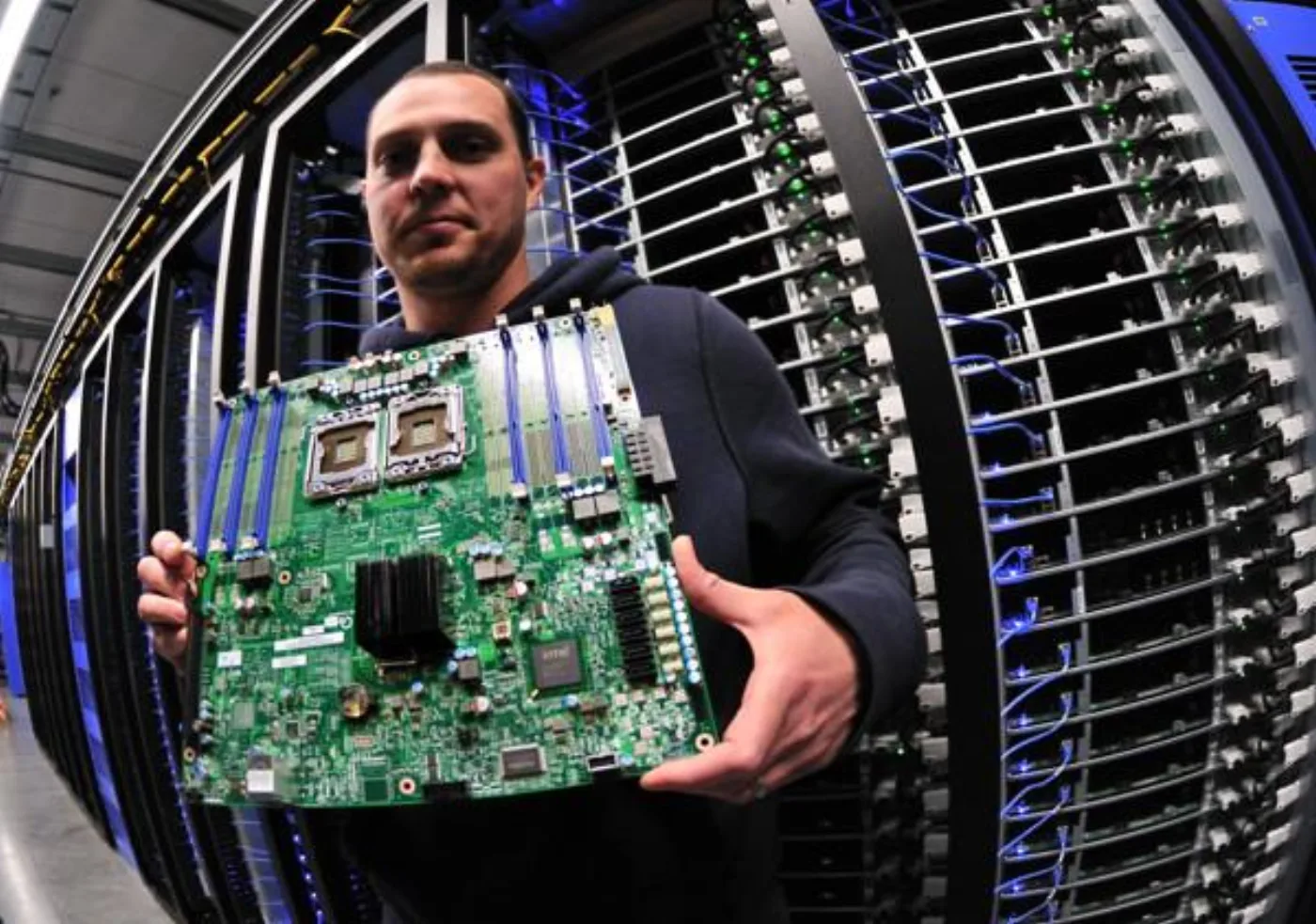
Image: Wikimedia Commons - Facebook Data Center Server Board.
What Does BIOS Security Mean for ISO 27001?
ISO/IEC 27001 defines requirements for an information security management system and places risk management at the center of security governance. For Dell Server BIOS security, this means the question is not “which setting should be enabled?” The better question is whether critical servers are classified, BIOS and UEFI profiles are standardized, changes are approved, management access is attributable, and controls are reviewed periodically.
BIOS security can be organized into three control layers:
- preventive controls: Secure Boot, TPM, firmware integrity, boot order restrictions, and System Lockdown
- detective controls: Lifecycle Log events, iDRAC events, centralized log collection, and alert rules
- management controls: asset classification, change approval, exception management, and periodic review
This separation becomes important as the server estate grows. If Secure Boot is enabled on one critical host but disabled on another, or BIOS profile changes are tracked only through informal messages, the organization will struggle to produce consistent ISO 27001 evidence.
How Do BIOS, UEFI, Secure Boot, and TPM Fit Together?
On Dell PowerEdge servers, BIOS and UEFI settings affect the trust chain before the operating system starts. UEFI Secure Boot makes it harder to boot unauthorized or unexpected components. TPM supports measured boot, key protection, and platform integrity scenarios. Their ISO 27001 value comes from being standardized, documented, reviewed, and connected to change control.
A practical BIOS security standard should cover:
- Secure Boot status and signature policy
- TPM version, activation status, and intended use
- UEFI versus legacy boot mode standard
- boot order and removable media policy
- BIOS administrator password and authorization model
- firmware update method and approval workflow
- System Lockdown rules for production systems
The standard should not live only as a technical note. For critical systems, CMDB records, business owners, risk level, and change approval paths should be visible in the same operating model. For implementation support, Leon-X Hardware & Software Services and Server Installation, Configuration, and Commissioning can be evaluated together.
How Do iDRAC and System Lockdown Support Change Control?
The most important part of BIOS security is who can change settings and through which process. Dell iDRAC is an out-of-band management plane, so it should be treated as a separate ISO 27001 risk surface. If iDRAC accounts are shared, the management network is broadly reachable, or change logs are not centrally reviewed, BIOS security remains weak.
A stronger model should include these steps:
- Restrict iDRAC access through a management VLAN, VPN, or jump host.
- Replace shared administrator access with named accounts and role-based permissions.
- Disable unnecessary protocols and enforce strong authentication and source restrictions.
- Tie System Lockdown usage on production servers to the formal change process.
- Track Lockdown changes, firmware updates, and BIOS profile modifications through Lifecycle Log and centralized logging.
This model helps answer “who changed what, when, and why?” with both technical and management evidence. For event visibility, SIEM and Security Event Management Integration is valuable for bringing BIOS, iDRAC, and firmware events into a central monitoring process.
What Evidence Should Be Ready for an Audit?
For ISO 27001 audits, screenshots may help, but they are rarely enough. The evidence package should show that the control was designed, implemented, and operated.
Useful evidence includes:
- critical Dell PowerEdge inventory and asset ownership
- BIOS/UEFI security profile standard
- Secure Boot and TPM status exports
- iDRAC access matrix, named account list, and role assignments
- System Lockdown procedure and exception records
- firmware and BIOS change approval records
- Lifecycle Log examples and centralized alert scenarios
- periodic access review records
- risk acceptance records for exceptions
This evidence set makes the connection between technical hardening and the management system clear. To plan control design, implementation, and evidence preparation with Leon-X, use the Contact page to request an assessment.
Common BIOS Security Mistakes
Treating Secure Boot as the whole control
Secure Boot is important, but ISO 27001 alignment also depends on TPM, BIOS profile standards, iDRAC access security, System Lockdown, firmware change control, and log monitoring.
Managing BIOS profiles manually per server
Different profiles across similar servers create operational and audit risk. Criticality-based standards and documented exceptions are easier to defend.
Assuming iDRAC is safe because it is internal
iDRAC grants powerful management access. Internal reachability alone is not enough; network segmentation, named accounts, MFA or directory integration, and monitoring should be designed together.
Enabling System Lockdown without process design
Lockdown helps reduce unplanned production changes, but it needs a clear process for maintenance windows, emergency changes, and firmware updates.
Collecting evidence only before the audit
ISO 27001 expects sustainable operation. BIOS security evidence should be produced when changes happen, when access is reviewed, and when exceptions are approved.
30-Day Implementation Plan
Days 1-7: Inventory and risk classification
- list critical Dell PowerEdge servers and service owners
- capture BIOS/UEFI, Secure Boot, TPM, and iDRAC current state
- prioritize exposed or broadly reachable iDRAC interfaces
- link server criticality to the ISO 27001 risk register
Days 8-15: Standard profile and access model
- define BIOS security profiles for critical, standard, and low-risk servers
- apply named iDRAC accounts, roles, and source network restrictions
- plan the removal of shared administrator accounts
- connect Secure Boot and TPM exceptions to risk acceptance
Days 16-23: Lockdown, logging, and change control
- define System Lockdown rules for production systems
- bind BIOS and firmware modifications to approved change records
- forward Lifecycle Log, iDRAC events, and firmware activity to centralized logging
- define alert ownership for critical events
Days 24-30: Evidence package and audit rehearsal
- build a sample BIOS security evidence file for representative servers
- validate access matrix, log examples, and change records together
- approve the exception list with risk owners
- rehearse audit questions with security and infrastructure teams
Related Content
BIOS security is part of a wider server control model. For broader ISO 27001 server hardening, start with How to Configure Dell PowerEdge Server for ISO 27001 Compliance. For Annex A control mapping, read ISO 27001 Annex A Server Security Requirements and Dell PowerEdge.
For management-plane hardening, see How to Configure Dell iDRAC Security for ISO 27001. For privileged access and SSH controls, read Dell Server SSH Security and ISO 27001 Compliance. For evidence and log readiness, see Dell PowerEdge Audit Log ISO 27001 Compliance.
Checklist
- Are critical Dell servers classified in CMDB?
- Is the BIOS/UEFI security profile standardized?
- Are Secure Boot and TPM states recorded?
- Has iDRAC access moved to named accounts and role-based permissions?
- Are management network, source IP, and protocol restrictions applied?
- Is System Lockdown tied to production change control?
- Are BIOS and firmware changes tracked through approved change records?
- Are Lifecycle Log and iDRAC events forwarded to centralized monitoring?
- Are exceptions managed through risk acceptance?
- Is periodic access and setting review scheduled?
Leon-X Next Step
Leon-X treats Dell PowerEdge BIOS security as ISO 27001 control design, not only technical hardening. Current-state assessment, BIOS/UEFI profile standards, iDRAC access model, System Lockdown process, log integration, and audit evidence preparation can be planned together. Start with the Cybersecurity Assessment Service or request a proposal through Contact.
Frequently Asked Questions
Is Dell Server BIOS security mandatory for ISO 27001?
ISO 27001 does not prescribe a specific Dell BIOS setting. It does require organizations to protect critical information assets, manage access, prevent unauthorized changes, and produce evidence. BIOS and UEFI security controls support those expectations.
Is Secure Boot enough?
No. Secure Boot is a strong starting point, but complete evidence also depends on TPM, BIOS profile standards, iDRAC security, System Lockdown, firmware change control, and log monitoring.
Should TPM be enabled on every server?
TPM decisions depend on the operating system, virtualization layer, disk encryption, key management, and application requirements. For critical systems, the decision should be documented through risk assessment. If TPM is disabled, the reason should be captured as an exception.
When should System Lockdown be used?
It is useful when production systems need protection against unplanned BIOS, firmware, or hardware configuration changes. It should be designed together with maintenance windows, emergency change handling, and firmware update procedures.
What evidence does an auditor expect for BIOS security?
Typical evidence includes asset inventory, profile standards, setting exports, access matrices, change records, log examples, exception records, and periodic review records. The exact package should match the organization's risk assessment.
Sources
- ISO - ISO/IEC 27001 standard overview
- Dell Technologies - Cyber-Resilient Architecture for PowerEdge Servers
- Dell Technologies - Dell PowerEdge Server BIOS Security Features
- Dell Technologies - Dell iDRAC9 Security Configuration Guide
- Dell Support - Secure Boot Configuration
- Dell Support - System Configuration Lockdown Mode