Dell PowerStore failover is not a single button press; it is read across three layers: in-appliance node failover, cross-site replication failover, and metro active-active failover. Short answer: when one node fails in a single appliance, the peer continues I/O; replication planned failover is synchronized and controlled, unplanned failover starts on the destination and requires reprotect; in metro, witness + preferred system decides which side serves host writes. This article is the unified failover playbook; details: Controller Failure, Replication, Active-Active.
This guide is written for:
- Storage admins turning PowerStore HA and DR goals into runbooks
- Architecture teams clarifying planned vs unplanned failover
- Operations reading metro witness and preferred site with host multipath
- IT leaders warning against skipping reprotect after failover
Quick Summary
- Failover layers: node (in appliance) · replication (cross-site) · metro (active-active dual site).
- Dual-node appliance: peer takes over when one node fails; host multipath must stay healthy.
- Planned replication failover: user-initiated, sync first, I/O must stop, no data loss target.
- Unplanned failover: start on destination when source is unreachable; reprotect required.
- Metro: bidirectional sync, ~96 km / 60 mi; on fractured session nonpreferred stops I/O.
- Diagnosis: Controller Failure. Architecture: Controller Architecture.
Table of Contents
- What Is Failover?
- Three Failover Layers
- Layer 1: Node Failover (In Appliance)
- Layer 2: Replication Failover
- Layer 3: Metro Failover
- Host and Multipath Role
- Failover Decision Tree
- Common Mistakes
- Checklist
- Next Step with Leon-X
- Frequently Asked Questions
- Sources
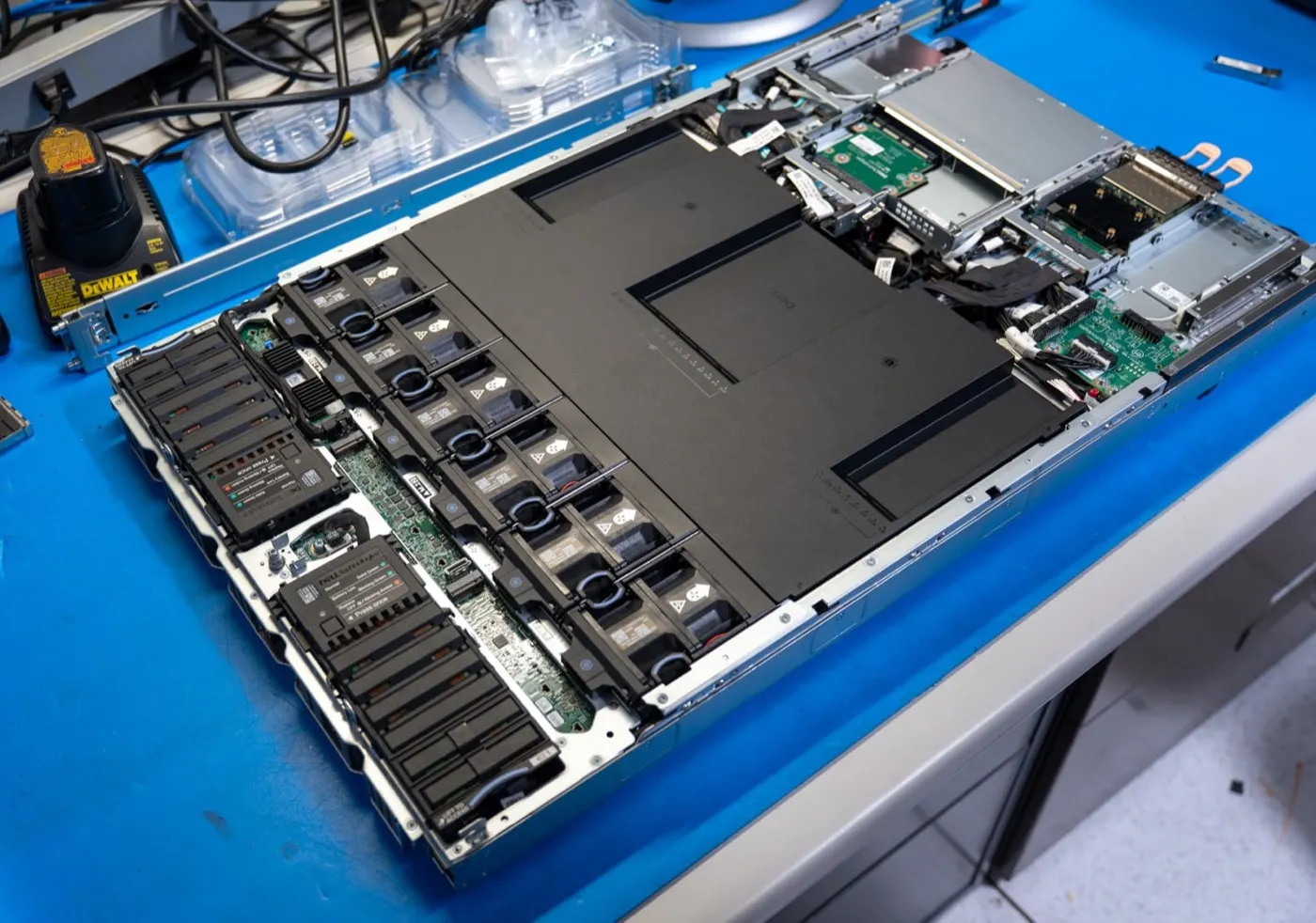
Image: StorageReview - Dell PowerStore Gen 3 Review (PowerStore 9500 / node and I/O module).
What Is Failover?
PowerStore failover moves workload to an alternate path (peer node, replication target, or metro preferred system) when a component or site becomes unavailable. Unlike classic dual-controller SAN, node, replication session, and metro resource are separate concepts; one procedure does not fit all.
Short definition: Failover is switching data access to a defined backup path at outage time, with reprotect or node join-back planned for return.
Three Failover Layers
| Layer | Scope | Typical trigger | Host impact |
|---|---|---|---|
| Node | Single appliance, 2 nodes | Node reboot, hardware, join-back | Multipath shifts to peer |
| Replication | Two PowerStore systems | Site outage, maintenance | Map/zoning to target |
| Metro | Active-active dual site | Link loss, fractured session | Preferred path stays active |
Architecture base: What Is PowerStore?, Active-Active Architecture.
Layer 1: Node Failover (In Appliance)
Each base enclosure has two nodes (Dell Planning Guide). In the active-active design, if one node is out of service the peer aims to continue appliance I/O.
Expected behavior:
- Failed node raises alerts (
0x00304404,0x00304203, etc.) - If peer is healthy, volume access continues
- Hosts need at least one healthy path (FC/iSCSI multipath)
Operations notes:
- Do not reboot the failed node if peer is unhealthy (Dell Reboot Procedures)
- Join-back issues may depend on PowerStoreOS version — Controller Failure guide
- A single volume is served by one appliance at a time; cluster expansion adds capacity, not per-volume fan-out across all nodes
Layer 2: Replication Failover
Replication failover covers cross-site scenarios. Dell documentation defines two main types:
Planned failover
- User-initiated
- Synchronization between source and destination first
- Dell: stop host I/O before failover
- Session goes inactive; reprotect (or auto-reprotect) to return to normal
Unplanned failover
- Source unreachable or failed
- Started from destination
- Latest copy or suitable snapshot may be used
- When connectivity returns, former source is placed in destination mode; reprotect required
| Mode | RPO target | Failover type |
|---|---|---|
| Asynchronous | Minutes/hours (RPO rule) | Often unplanned or controlled |
| Synchronous | 0 | Planned/unplanned; latency critical |
| Metro | 0 (bidirectional) | Witness + preferred site — Layer 3 |
Deep mode comparison: How Replication Works. Snapshot source: Snapshots.
Layer 3: Metro Failover
Metro protection builds bidirectional synchronous active-active replication between two PowerStore systems (Dell Metro Protection). Hosts see two physical volumes as one metro volume with multiple paths.
Failover logic:
- Witness on separate host/VM; supports split-brain decisions
- Preferred system continues host I/O during failure
- On fractured session or link loss, nonpreferred side stops I/O
- Typical distance: 96 km or 60 mi
Metro ≠ standard sync session; host access model differs. Architecture depth: Active-Active Architecture. PowerStore 4.3+ documents auto-failover for file sync with witness.
Host and Multipath Role
Even successful storage-side failover causes outage if host paths fail:
| Protocol | Check |
|---|---|
| Fibre Channel | Zoning, ALUA, host multipath (PowerPath/MPxIO/native) |
| iSCSI | Multiple NIC/session, subnet/VLAN |
| NAS | DNS, mount point, client timeout |
Before failover test:
- Path count and health on all hosts
- Maintenance window and application quiesce
- Replication/metro session status in PowerStore Manager
- Post-failover volume visibility — Volume Not Visible
Pro Tip: Run the first failover in a DR drill, not in production; validate reprotect and host remap in a written procedure.
Failover Decision Tree
| Situation | Go to |
|---|---|
| Single node alert, healthy peer | Controller Failure — usually automatic takeover |
| Planned site maintenance | Replication planned failover + I/O stop + reprotect |
| Source site fully down | Unplanned failover + host remap + reprotect |
| Metro link lost | Witness/preferred check; Active-Active |
| Latency after failover | High Latency |
Common Mistakes
- Mixing node failover with replication failover
- Starting planned failover without stopping I/O
- Skipping reprotect
- Running witness on one of the metro systems
- Trusting DR without host multipath testing
- Assuming failover needs no return path
Checklist
- Failover layer (node / replication / metro) identified.
- RPO/RTO targets written.
- Planned failover: I/O stop procedure ready.
- Unplanned failover: target system and host remap plan exist.
- Reprotect / auto-reprotect decision made.
- Metro: witness on separate host/VM, preferred site set.
- Host multipath verified on all servers.
- DR drill date scheduled.
- Post-failover volume/host checklist written.
- Deep guide routing noted.
Next Step with Leon-X
Leon-X plans PowerStore failover design through NAS/SAN Storage Installation and Configuration — replication/metro topology, witness placement, host multipath, and DR drills. For discovery, contact us.
Frequently Asked Questions
Is PowerStore failover automatic?
At node level, peer takeover is usually automatic if peer is healthy. Replication planned failover is manual; unplanned may be operator-driven or (metro file sync + witness) auto-triggered. Each layer differs.
What is the difference between planned and unplanned failover?
Planned: controlled, sync first, stop I/O, no data loss target. Unplanned: source unreachable, start on destination, reprotect required.
Is witness mandatory for metro failover?
Dell recommends witness service for metro sessions; it is critical for split-brain and preferred system decisions. Witness should not run on metro nodes.
What should I do after failover?
After replication/metro failover, reprotect to normalize direction; verify host paths and volume mapping. After node failover, failed node join-back and alert cleanup — Controller Failure.
Is active-active the same as node failover?
No. In-appliance active-active is HA between two nodes. Metro active-active is bidirectional access between two systems.