Configuring Dell Server authorization for ISO 27001 is not about giving a few people the iDRAC admin password or narrowing the operating-system admin group once. A healthy model separates the iDRAC management plane from the operating system, uses named accounts, documents local and directory-based roles, ties privileged access to approvals, removes departed users quickly, and proves the process with audit-ready logs. The short answer is this: Dell server authorization answers who can do what on which management surface, with risk, role, and evidence in the same model.
This guide is written for:
- IT and information security teams preparing for ISO 27001 audits
- system teams managing Dell PowerEdge, iDRAC, and operating-system administration
- operations teams responsible for privileged access, offboarding, and access reviews
- organizations that want to reduce shared-account usage in server management
Quick Summary
- ISO/IEC 27001 expects an ISMS approach for managing information security risks, so Dell server authorization is access governance, not a single device setting.
- Dell iDRAC is an operating-system-independent management plane and should not be governed with the same assumptions as OS administration.
- Shared
root,admin, or iDRAC accounts weaken auditability; named accounts and role-based access should be used. - iDRAC users, OS administrators, directory groups, service accounts, and break-glass accounts should be documented as separate access classes.
- Lifecycle logs, remote syslog, failed login events, and authorization-change records are critical for audit evidence.
- A stronger operating model combines 90-day access review, 24-hour offboarding validation, break-glass review, and SIEM visibility.
Table of Contents
- What Does Dell Server Authorization Cover Under ISO 27001?
- How Should Authorization Layers Be Separated?
- How Should iDRAC and Operating-System Roles Be Designed?
- How Should Break-Glass, Service Accounts, and Offboarding Be Managed?
- How Should Audit Evidence and Log Visibility Be Built?
- Implementation Checklist
- Related Content
- Next Step with Leon-X
- Frequently Asked Questions
- Sources
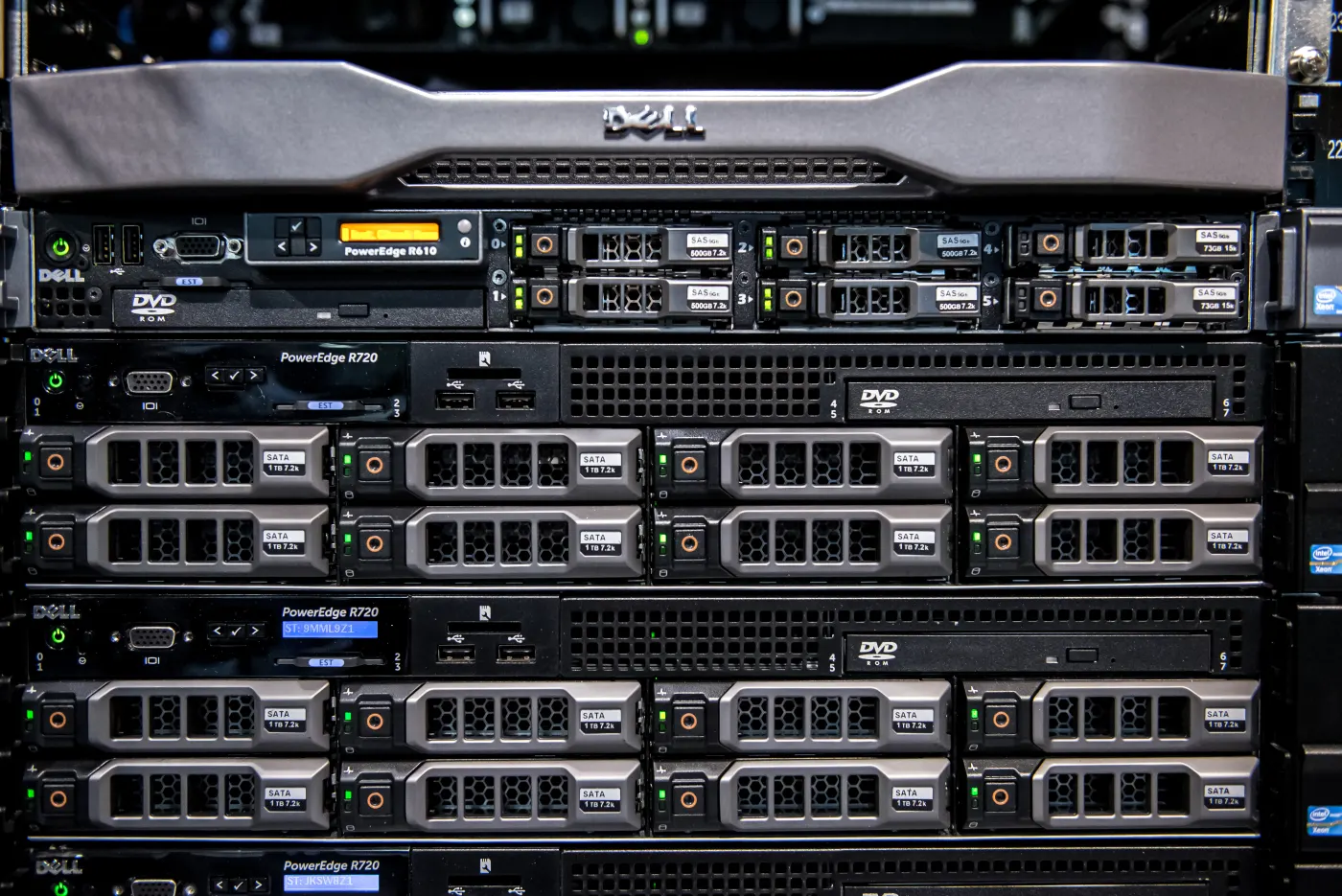
Image: Wikimedia Commons - Dell PowerEdge R610 and R720.
What Does Dell Server Authorization Cover Under ISO 27001?
ISO’s official description of ISO/IEC 27001 defines it as an information security management system standard for managing information security risks. In that frame, Dell server authorization is not just user creation. During audit, the model should answer:
- who can access PowerEdge hardware management?
- who has which role in iDRAC?
- are operating-system administrator rights separated from iDRAC rights?
- which directory groups can access which server classes?
- what job does each service account perform?
- who used break-glass access, why, and for how long?
- where are access changes and failed login attempts logged?
That is why Business Management Services, especially the Cybersecurity Assessment Service, treat Dell server authorization as an auditable control design rather than isolated technical configuration.
How Should Authorization Layers Be Separated?
Authorization in Dell server environments should not be treated as one flat layer. The following separation makes operations and audit evidence clearer.
| Layer | Risk | Control |
|---|---|---|
| iDRAC management plane | hardware access outside the OS | named account, role split, management network |
| Operating-system admins | OS and service changes | local admin restriction, sudo/RBAC, MFA |
| Directory groups | broad privilege propagation | AD/LDAP group matrix, 90-day review |
| Service accounts | automation and monitoring access | purpose, owner, scope, and secret rotation |
| Break-glass access | emergency privileged use | time-bound activation and post-use review |
Without this separation, the term "server admin" becomes too broad. A Windows or Linux administrator does not automatically need permission to attach virtual media, run power actions, or change firmware through iDRAC.
How Should iDRAC and Operating-System Roles Be Designed?
iDRAC is a separate security surface
Dell iDRAC security documentation treats iDRAC and PowerEdge security as a distinct management layer. In practice, this means:
- iDRAC should not be exposed to the user network
- local
rootor shared admin accounts should not be daily operations accounts - if directory integration is used, groups should be separated by role
- critical management actions should be attributable to a person
- local accounts should be limited to emergency or service scenarios where possible
This topic should be read together with How to Secure Dell iDRAC for ISO 27001, which covers the management-plane hardening side in more detail.
How should the role matrix work?
A minimum role matrix can include these practical classes:
ReadOnly-Inventory: inventory, hardware status, and log viewingServer-Operator: controlled power actions and console accessFirmware-Maintainer: firmware and BIOS changes during approved maintenanceSecurity-Auditor: log, configuration, and access report viewingBreakGlass-Admin: temporary full access during emergency
For each role, document:
- role purpose
- server class where it applies
- approving team
- expected access duration
- logging and review requirement
- removal target after role change or offboarding
On the technical side, Hardware & Software Services and Server Installation, Configuration, and Commissioning help align PowerEdge deployment standards with this role model.
How Should Break-Glass, Service Accounts, and Offboarding Be Managed?
Break-glass is not a normal admin account
A break-glass account should not be treated as a forgotten emergency password. It is a tested, monitored, and reviewed emergency path. A healthy model includes:
- separate strong credential
- no routine daily use
- usage reason and ticket record
- password or secret rotation after use
- post-use review within 24-48 hours
Service accounts should not be managed like human users
Monitoring, backup, inventory, or automation tools may require limited iDRAC or OS access. For each service account, keep:
- owning team
- access purpose
- device or subnet scope
- privilege set
- secret rotation period
- last use and last review date
This approach belongs to the same control family as the remote-access hardening principles in Dell Server SSH Security for ISO 27001 Compliance.
Offboarding targets should be explicit
Leaving departed-user access open for days is a weak ISO 27001 control signal. Practical targets can be:
- same-day removal for highly privileged accounts
- validation within 24 hours for critical system access
- automated reporting for AD group membership
- 90-day periodic review to catch residual privileges
These targets should be documented as defensible operating standards, not presented as universal ISO numeric requirements.
How Should Audit Evidence and Log Visibility Be Built?
Dell Lifecycle Log and remote syslog/TLS documentation are useful for centralizing management events. Authorization evidence becomes stronger with records of:
- user creation, deletion, and role changes
- failed login attempts
- iDRAC session and management events
- firmware, BIOS, and power actions
- directory group membership reports
- access review outputs
- break-glass usage and post-use review
These logs should not only be retained. They should feed alerting and review. SIEM and Security Event Management Integration is a supporting service for privileged-access and management-plane event visibility.
Implementation Checklist
- PowerEdge and iDRAC inventory is current
- iDRAC, OS admin, service account, and break-glass access were separated
- shared admin accounts were removed from daily operations
- directory group and local-user matrix was documented
- roles were classified by least privilege
- approval and time limits were defined for privileged access
- service account owner, purpose, and secret rotation were documented
- same-day or 24-hour offboarding validation target was defined
- lifecycle log and remote syslog/SIEM flow was validated
- access review evidence from the last 90 days is ready
Related Content
- How to Secure Dell iDRAC for ISO 27001
- How to Configure Dell PowerEdge Server for ISO 27001 Compliance
- Dell Server SSH Security for ISO 27001 Compliance Guide
- Dell PowerEdge Audit Log for ISO 27001 Compliance
Next Step with Leon-X
Dell server authorization for ISO 27001 does not end with removing one admin account. iDRAC, operating systems, directory groups, service accounts, break-glass procedures, and log evidence should converge in the same authorization model. Leon-X makes authorization risks visible through Business Management Services, especially the Cybersecurity Assessment Service. On the implementation side, Hardware & Software Services and Server Installation, Configuration, and Commissioning support the technical rollout of PowerEdge authorization standards. To review your environment or request a proposal, continue through the Contact page.
Relevant pages:
- Business Management Services
- Cybersecurity Assessment Service
- Hardware & Software Services
- Server Installation, Configuration, and Commissioning
- SIEM and Security Event Management Integration
- Contact
Frequently Asked Questions
What is the first step in Dell server authorization?
Start by inventorying iDRAC, operating-system, directory group, service account, and break-glass access as separate access classes.
Why is a shared iDRAC admin account risky?
Because activity cannot be attributed to a person. During audit, it weakens answers to who logged in, who changed what, and who approved the access.
Is iDRAC authorization the same as operating-system admin rights?
No. iDRAC provides hardware-level management outside the operating system. It needs separate roles, access policy, and log controls.
How often should access reviews happen?
For critical and privileged access, a 90-day review is a practical and defensible operating standard. Higher-risk environments may review more frequently.
Which evidence is strongest during audit?
User and role matrices, directory group reports, lifecycle log samples, authorization change records, offboarding outputs, and break-glass review records are strongest when presented together.
Sources
- ISO - ISO/IEC 27001 Information Security Management
- Dell - Built in iDRAC and PowerEdge Security
- Dell - Secure Shell SSH
- Dell - Remote Syslog with TLS
- Dell - Viewing Lifecycle Log History
- Dell - Protect PowerEdge Server Infrastructure from Cyberattacks
- Wikimedia Commons - Dell PowerEdge R610 and R720