A Dell PowerStore installation guide takes the base enclosure from rack and power through management network setup to a reachable PowerStore Manager via the Initial Configuration Wizard (ICW). Short answer: reserve at least 4 management IPs with the Initial Configuration Worksheet; cable the management switch; discover the appliance; enter cluster/appliance/node IPs, DNS/NTP, and password in ICW; then proceed to host connectivity (FC/iSCSI/NAS) as separate service steps. Architecture context: What Is PowerStore?.
This guide is written for:
- Storage admins commissioning PowerStore T/Q for the first time
- Infrastructure teams clarifying management VLAN and IP plans before install
- Operations teams standardizing ICW and PowerStore Manager steps
- IT leaders separating physical install from logical provisioning in SAN/NAS projects
Quick Summary
- Order: planning (worksheet) → physical install → management switch → discovery → ICW → validation.
- Minimum 4 IPs for management: Node A, Node B, appliance, cluster (Dell networking guide).
- ICW starts automatically after discovery; PowerStore Manager stays locked until ICW completes.
- First deployment usually includes FC; iSCSI/NAS/replication/cluster need extra service steps.
- For native VLAN, do not check "Use VLAN Tagging" in ICW (802.1Q behavior).
- Architecture: Controller Architecture, Active-Active.
- Issues: Volume Not Visible.
Table of Contents
- Pre-Install Checklist
- Step 1: Physical Installation
- Step 2: Management Switch and Cabling
- Step 3: Discovery
- Step 4: Initial Configuration Wizard (ICW)
- Step 5: PowerStore Manager and Validation
- Step 6: Host Connectivity (Summary)
- Common Mistakes
- Checklist
- Next Step with Leon-X
- Frequently Asked Questions
- Sources
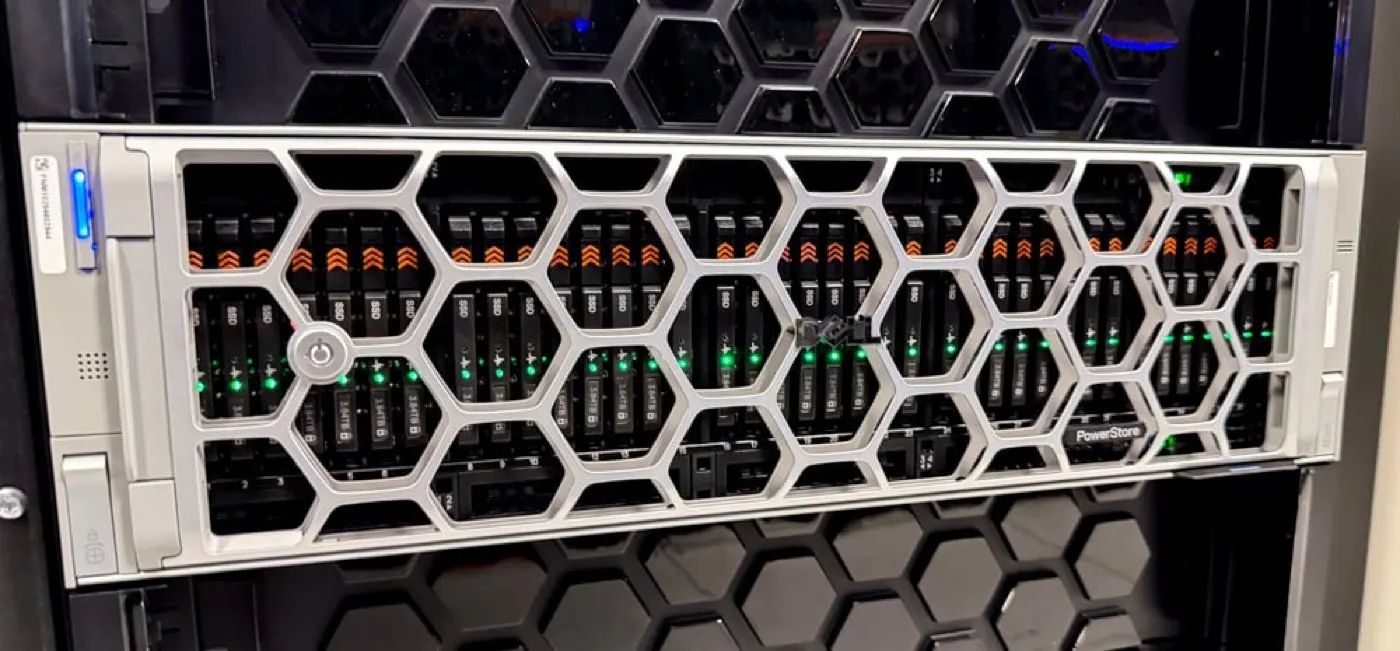
Image: StorageReview - Dell PowerStore Gen 3 Review (PowerStore base enclosure).
Pre-Install Checklist
Complete Dell's Initial Configuration Worksheet before install:
| Resource | Worksheet field | Example |
|---|---|---|
| Cluster | Cluster Name, Cluster IP | PS-CLUSTER-01, 10.20.30.10 |
| Appliance | Appliance IP | 10.20.30.11 |
| Node | Node A / Node B IP | 10.20.30.12, 10.20.30.13 |
| Network | Netmask, Gateway, VLAN | /24, 10.20.30.1, optional tag |
| Services | DNS, NTP | Corporate servers |
| Security | Admin password | Strong password (change in ICW) |
Also prepare:
- Rack U height, PDU/UPS capacity, cooling
- Management switch (Dell PowerSwitch or compatible) port plan
- Host FC/iSCSI zoning or VLAN plan (next phase)
- Dell Support / license / warranty validation
- Expansion enclosure cable plan (if any)
Short definition: PowerStore step-by-step installation is a repeatable commissioning flow from physical mount to management network configuration via ICW.
Step 1: Physical Installation
Per Dell Installation and Service Guide:
- Rack rails — toolless snap-in rails; secure with screws under front ears.
- Base enclosure — slide into rack per 2U/3U model; mind weight distribution.
- Power cables — connect PSUs to separate PDU/phases (redundancy).
- First power-on — watch front system and drive slot LEDs.
- Expansion (optional) — SAS or NVMe enclosure after base; follow cable order.
Drive layout: Disk Types and Tiering.
Step 2: Management Switch and Cabling
Initial deployment needs a dedicated management network:
- Connect each node's management port to the management switch.
- Configure management VLAN on switch (access or trunk + native VLAN).
- Apply DHCP reservations or static plan for the 4 worksheet IPs.
- Verify DNS and NTP reachable from management subnet.
- Optional out-of-band management (SSH/SNMP) — separate worksheet fields.
Pro Tip: Do not mix production data VLAN into ICW before completion. First access is management-only for discovery + ICW.
Step 3: Discovery
Dell networking guide offers two paths:
| Method | When |
|---|---|
| Direct connection | Laptop → management switch / direct to node |
| Remote connection | Over corporate management VLAN |
After discovery the browser redirects to the Initial Configuration Wizard (ICW). Keep the worksheet handy.
Step 4: Initial Configuration Wizard (ICW)
ICW steps (Dell PowerStore T/Q Networking Guide):
- Cluster Details — cluster name, unified/block optimized choice
- Management network — Cluster IP, appliance IP, node IPs, netmask, gateway
- VLAN Tagging — enable if using tagged VLAN; for native VLAN leave unchecked
- DNS / NTP — corporate server addresses
- Password — change default admin password
- HTTP → HTTPS redirect — recommended for cluster IP
- When ICW finishes, PowerStore Manager access opens
Minimum management IP set (Dell documentation):
- 1× Node A
- 1× Node B
- 1× Appliance
- 1× Cluster
Step 5: PowerStore Manager and Validation
After ICW:
- Check cluster health in PowerStore Manager (HTML5)
- Each node Healthy, appliance Normal?
- Drives recognized; no fault LEDs?
- Firmware level matches target baseline?
- NTP in sync, DNS resolution working?
- Export / backup configuration
Security: PowerStore Encryption ISO 27001, KVKK Encryption.
Step 6: Host Connectivity (Summary)
After initial deployment FC is typically ready. Extra services need separate configuration:
| Service | Note |
|---|---|
| Fibre Channel | Typical in first deployment |
| iSCSI | Additional network configuration |
| NAS / file | Storage services steps |
| Replication | Separate IP/network plan |
| Cluster expansion | Add-appliance procedure |
If volumes are not visible after host provisioning: Volume Not Visible. Performance: Performance Optimization.
Common Mistakes
- Entering ICW without a completed worksheet (IP conflicts)
- Planning only cluster IP instead of all 4 management IPs
- Enabling VLAN tagging unnecessarily on native VLAN
- Mixing data switch ports with management
- Mapping LUNs to hosts before ICW completes
- Wrong expansion enclosure cable order
- Leaving ICW half-done with unreachable NTP/DNS
Checklist
- Initial Configuration Worksheet completed.
- 4 management IPs reserved.
- Rack, PDU, rails done.
- Management switch VLAN/ports configured.
- Discovery successful, ICW completed.
- Admin password changed.
- PowerStore Manager health green.
- DNS/NTP verified.
- Config export taken.
- Host connectivity plan (FC/iSCSI/NAS) written.
Next Step with Leon-X
Leon-X delivers end-to-end PowerStore commissioning through NAS/SAN Storage Installation and Configuration — IP planning, ICW, host zoning, and acceptance tests. For discovery, contact us.
Frequently Asked Questions
How many IP addresses does PowerStore installation require?
Initial deployment needs at least 4 management IPs: Node A, Node B, appliance, and cluster. DNS/NTP are separate servers.
When does ICW start?
ICW opens automatically after appliance discovery. Worksheet data must be ready; full PowerStore Manager access waits until ICW completes.
Is iSCSI ready on first install?
Dell states initial deployment covers FC connectivity; iSCSI, NAS, replication, and similar services need additional configuration steps.
What is the difference between native VLAN and tagged VLAN?
For native VLAN, do not check "Use VLAN Tagging" in ICW; traffic goes untagged and the switch applies the native VLAN.
When is an expansion enclosure added?
After the base enclosure is commissioned via ICW; add per Installation Guide SAS/NVMe expansion cabling order.