Dell PowerMax vs PowerStore is not settled by “which is faster?” Short answer: PowerMax is mission-critical enterprise (SRDF, mainframe, strictest SLAs); PowerStore is modern midrange–enterprise unified (block+file appliance, DRE, native metro/replication). Both are all-flash/NVMe-focused; the differences are segment, DR backbone, ops model, and TCO. Product overviews: What Is PowerMax?, What Is PowerStore?.
This comparison is written for:
- IT leaders choosing PowerMax or PowerStore in a storage refresh
- Architects with SRDF estates vs greenfield Dell storage plans
- Teams separating VMware/unified from mainframe/extreme consolidation
- Buyers validating “always buy high-end” habit against a workload matrix
Quick Summary
- PowerMax = enterprise / mission-critical; PowerStore = modern midrange–enterprise unified.
- DR: PowerMax → SRDF; PowerStore → native replication / metro.
- Mainframe (FICON): typically PowerMax.
- Unified block+file appliance experience: PowerStore is strong.
- Architecture language: PowerMax = node pair + DME + Dynamic Fabric; PowerStore = appliance + dual node + DRE.
- Availability: Dell positions PowerMax in a 6 nines frame.
- Decision: RPO/RTO + workload type + existing ecosystem + 5-year TCO.
Table of Contents
- Separate the Segment First
- Feature Comparison Table
- Architecture Differences
- Replication and DR
- Workload Scenarios
- TCO and Operations
- Decision Matrix
- Common Selection Mistakes
- Checklist
- Next Step with Leon-X
- Frequently Asked Questions
- Sources
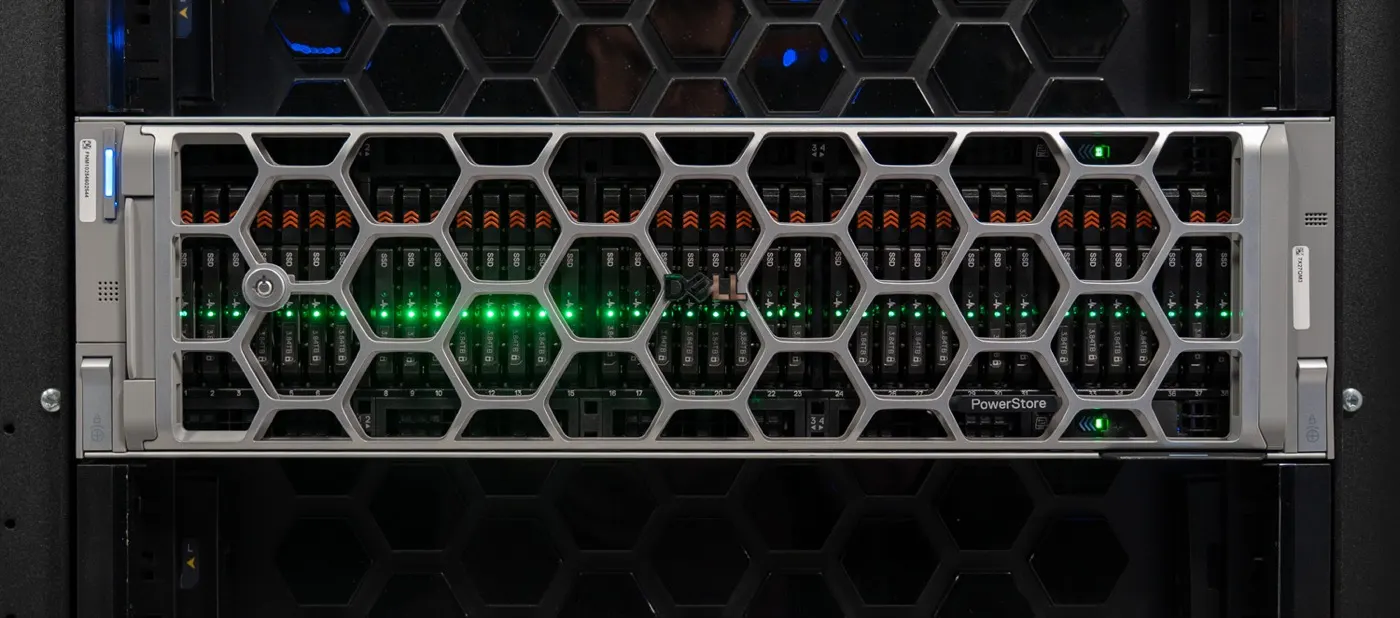
Image: StorageReview - Dell PowerStore Gen 3 Review (modern Dell NVMe storage context).
Separate the Segment First
In Dell’s portfolio both are “enterprise storage,” but target SLAs differ:
| PowerMax | PowerStore | |
|---|---|---|
| Segment | Mission-critical / high-end enterprise | Midrange → enterprise unified |
| Typical buyer | Large bank, telco, mainframe + open systems | Data center modernization, VMware consolidation |
| Outage cost | Minutes = serious money | High, but often not top-tier mandatory |
| Portfolio language | Symmetrix/VMAX enterprise lineage | Dell’s strategic modern platform |
Short definition: PowerMax vs PowerStore is not a speed race; it maps SLA, DR standard (SRDF vs native), and workload type to the right product.
Feature Comparison Table
| Dimension | PowerMax | PowerStore |
|---|---|---|
| OS / software | PowerMaxOS 10 | PowerStoreOS |
| Scale (Dell examples) | 2500 ~8 PBe; 8500 ~18 PBe, up to 16 nodes | Appliance + cluster; Gen3 density gains |
| Media | End-to-end NVMe, DME | All-flash/NVMe, DRE |
| Compute–media | Dynamic Fabric (disaggregate) | Dual node in appliance |
| DR backbone | SRDF (Metro, async, multi-site) | Native sync/async/metro |
| Mainframe | Supported scenarios (FICON) | Typical focus open systems |
| File | Supported file services | Strong unified block + file |
| Data reduction | Open 5:1 / MF 3:1 guarantee (Dell, conditional) | Always-on DRR; Gen3 6:1 reducible (conditional) |
| Management | Unisphere / PowerMax tools | PowerStore Manager + API |
PowerMax depth: Architecture Deep Dive. PowerStore: Controller Architecture, Capacity Planning.
Architecture Differences
PowerMax: Node pair + Dynamic Media Enclosure + Dynamic Fabric. Compute and media can grow independently; active/active share-everything. Latency and scale consistency are built for mission-critical consolidation.
PowerStore: Two nodes in the base enclosure; software-centric resiliency with DRE; scale by adding appliances to a cluster. A single volume is served by one appliance at a time (Best Practices). Install: PowerStore Installation.
Replication and DR
| Need | PowerMax | PowerStore |
|---|---|---|
| Enterprise multi-site / Metro gold standard | SRDF family | Native metro / sync / async |
| Existing SRDF runbooks | Natural continuation | Redesign required |
| Appliance-level planned/unplanned failover | SRDF procedures | Failover guide |
| 4-site dual-region | SRDF/Metro + SRDF/A (Dell positioning) | Different topology design |
If you have SRDF investment and DR drill culture, PowerMax continuity is a strong argument. For greenfield and VMware-centric DR, PowerStore native replication is often enough — Replication, Active-Active.
Workload Scenarios
| Scenario | Prefer | Why |
|---|---|---|
| Core banking / extreme DB consolidation | PowerMax | SLA + SRDF + scale consistency |
| Mainframe + open systems | PowerMax | Portfolio capability |
| VMware / mixed virtualized | PowerStore | Unified, simpler ops |
| Block + file on one platform | PowerStore (most midrange) | Appliance unified model |
| Existing SRDF DR | PowerMax | Procedure/ecosystem continuity |
| Fast modernization, lower TCO | PowerStore | Midrange–enterprise price/feature balance |
Pro Tip: Write “we always bought PowerMax” into a workload matrix. Buying high-end for midrange SLAs inflates TCO; forcing mission-critical onto PowerStore is also risky.
TCO and Operations
TCO is more than list price:
- License / Inclusive Software — model 3–5 years for both
- Rack / power / cooling — density (PBe/U) differs
- Ops skills — Unisphere/SRDF vs PowerStore Manager
- DR drill cost — rewriting runbooks
- Growth — DME/node vs appliance/expansion
PowerStore capacity assumptions: Capacity Planning. Performance: Performance Optimize.
Decision Matrix
If 3+ below point to PowerMax, take high-end seriously:
- Mainframe / FICON need
- Existing SRDF or mandatory SRDF-like multi-site
- Outage cost = “minutes = serious money”
- Extreme consolidation / very low latency SLA
- Cyber vault / top-tier resiliency program
If 3+ point to PowerStore:
- VMware / general-purpose mixed workload
- Unified block + file goal
- Greenfield or non-SRDF DR design
- Ops team appliance/API oriented
- TCO / footprint-first modernization
Common Selection Mistakes
- Looking only at latency benchmarks and skipping SRDF/mainframe need
- Habitual PowerMax purchase overspending on midrange workloads
- Treating PowerStore as “cheap PowerMax”
- Not rewriting replication procedures on platform change
- Treating effective TB as usable (DRR is conditional on both)
- Confusing PowerScale / file-heavy NAS needs with PowerMax/PowerStore
Checklist
- RPO/RTO and site count written.
- Mainframe need yes/no.
- Existing SRDF inventory checked.
- Workload list (DB, VMware, file, backup) separated.
- 5-year TCO (license + power + ops) modeled.
- Host protocol plan (FC / NVMe-oF / iSCSI) clear.
- DR drill runbook impact assessed.
- PoC or sizing (Dell/partner) planned.
- Deep guides linked.
- Decision rationale written in one paragraph.
Next Step with Leon-X
Leon-X supports PowerMax vs PowerStore selection through NAS/SAN Storage Installation and Configuration — workload matrix, DR topology, and TCO comparison. For discovery, contact us.
Frequently Asked Questions
Is PowerMax or PowerStore better?
It depends on the workload. Mission-critical + SRDF + mainframe → PowerMax. Modern unified / VMware midrange–enterprise → often PowerStore.
Can I run both in the same environment?
Yes. Tiering: PowerMax for mission-critical; PowerStore for general-purpose / unified. Plan ops and monitoring separately.
Does PowerStore replace SRDF?
No. PowerStore has its own replication/metro model; SRDF runbooks and ecosystem stay on PowerMax.
Does latency alone decide the choice?
Benchmarks matter but are not enough. SLA, DR standard, and mainframe need decide most purchases.
Where does Unity XT fit?
Dell strategically points to PowerStore; for long-horizon new buys, evaluate PowerStore over Unity. This article focuses on PowerMax vs PowerStore.