VMware vMotion Network Error means that live migration traffic between the source and destination ESXi hosts cannot flow reliably. The issue does not always mean that a physical link is down; vMotion can fail even when ICMP ping works if there is an IP conflict, wrong VMkernel selection, MTU mismatch, VLAN inconsistency, inaccessible port group, or uplink congestion. The short answer is this: validate the vMotion VMkernel path first, then check VLAN/MTU/IP consistency, port group access, host configuration parity, and migration-time performance pressure together.
This guide is written for:
- VMware teams managing vSphere clusters and DRS operations
- network teams separating vMotion, management, storage, and VM traffic
- system teams that need to reduce live migration failures during maintenance windows
- organizations that want to close repeated vMotion network errors at root-cause level
Quick Summary
- vMotion network error is not just a "ping does not work" problem; vMotion is a longer, heavier, and more sensitive transfer session.
- Broadcom KB
427223shows that vMotion can fail despite confirmed ICMP connectivity when an IP conflict exists on the vMotion VMkernel path. - Broadcom KB
309601describes warnings related to vMotion network interface mismatch and MTU differences. - Port group, VLAN, distributed switch, standard switch, and physical trunk inconsistencies can fail migration during compatibility checks or cutover.
- Repeated incidents should be handled by reviewing VMkernel IP plans, MTU standards, uplink capacity, NIOC, and alarm correlation instead of retrying the migration blindly.
- Long-term prevention means monitoring the vMotion network as a separate operations layer and regularly validating DNS, routing, VLAN, MTU, and host profile parity.
Table of Contents
- What Does vMotion Network Error Mean?
- Which Checks Matter in the First 10 Minutes?
- How Should VMkernel, VLAN, and MTU Be Validated?
- How Should Port Group and Destination Host Access Be Checked?
- How Should Performance, Uplinks, and NIOC Be Separated?
- Prevention Plan
- Related Content
- Checklist
- Next Step with Leon-X
- Frequently Asked Questions
- Sources
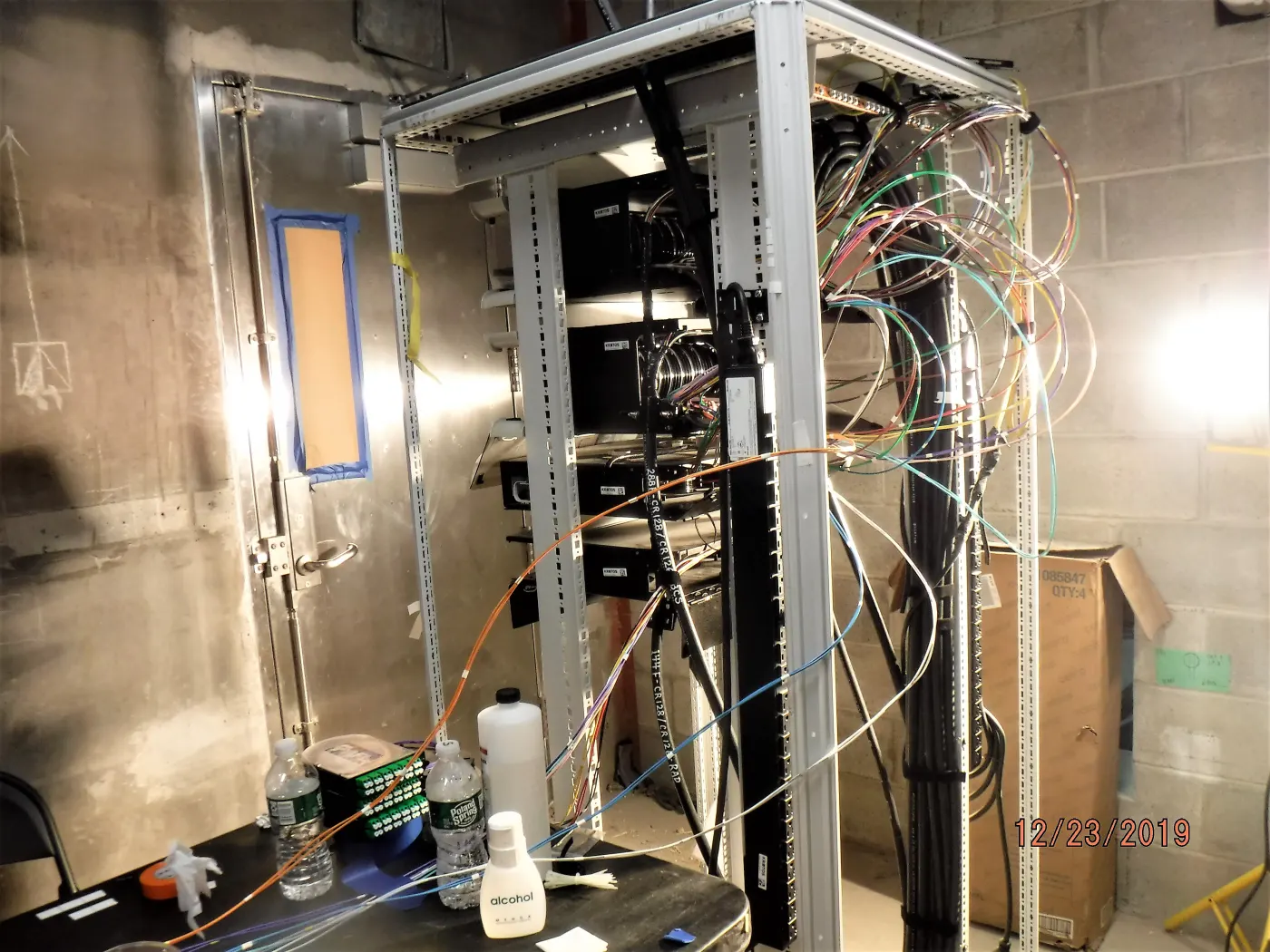
Image: Wikimedia Commons - Layout and installation of fiber optic cable in a communication rack in Queens, MTA Capital Construction Mega Projects, CC BY 2.0. Optimized as WebP.
What Does vMotion Network Error Mean?
vMotion moves the memory and runtime state of a running virtual machine from one ESXi host to another. During that process, the source and destination hosts must establish a stable, low-loss path through VMkernel adapters enabled for vMotion, with correct MTU and VLAN behavior.
Network error can fall into these classes:
| Error class | Possible cause | Typical signal |
|---|---|---|
| VMkernel path issue | wrong vmk, IP conflict, missing route | ping may work but migration fails |
| VLAN/MTU mismatch | trunk, jumbo frame, or MTU inconsistency | failure during larger packets or heavy transfer |
| port group inaccessible | target host has no matching network backing | compatibility check error |
| uplink capacity | vMotion, VM, and storage traffic compete | timeout or low throughput |
| host parity gap | standard switch names, security policy, or vDS mismatch | failure only for specific target hosts |
For general migration failures, see VMware vMotion Failed Errors. This article focuses specifically on the network layer. To refresh the migration mechanism itself, read What Is VMware vMotion and How Does It Work?.
Which Checks Matter in the First 10 Minutes?
The first response should classify the network path instead of retrying the task repeatedly. A safe order is:
- record the exact vSphere Client error and separate pre-check from runtime failure
- list vMotion-enabled VMkernel adapters on source and destination hosts
- test reachability from the source vmk to the destination vMotion IP with
vmkping - if jumbo frames are used, test MTU with the DF bit and the right packet size
- confirm that vMotion VMkernel IP addresses are unique on both hosts
- compare VLAN ID, port group name, vDS/vSS membership, and physical trunk mapping
- identify whether the failure affects one host pair or the entire cluster
- check for backup, storage migration, vSAN resync, or heavy VM traffic during the same window
Broadcom KB 427223 shows that vMotion can fail when an IP conflict exists on the vMotion VMkernel network even if ICMP connectivity works. So "ping works" is not sufficient evidence that the vMotion path is healthy.
This diagnostic flow directly relates to Business Management Services, especially Network Monitoring and Management. A vMotion error requires DNS, VLAN, switch, vmkernel, and performance signals in the same incident view.
How Should VMkernel, VLAN, and MTU Be Validated?
The most important technical object for vMotion is the VMkernel adapter. On every host, the vmk dedicated to vMotion should live in the correct VLAN, on the correct TCP/IP stack, with correct gateway/routing behavior and the same MTU standard.
Validation checklist:
- is the vMotion service enabled on the correct VMkernel adapter?
- are source and destination vMotion IPs in the same subnet or a valid routed path?
- is the same IP used by another host or vmk?
- are VLAN ID and physical switch trunk allowed VLAN lists consistent?
- do vDS or vSS MTU, VMkernel MTU, and physical switch MTU match?
- if the vMotion TCP/IP stack is used, are gateway and route standards correct?
- are management, storage, and vMotion mixed on the same wrong vmk or VLAN?
Broadcom TechDocs explains using the vMotion TCP/IP stack to isolate migration traffic. Broadcom KB 309601 shows that vMotion interface and MTU differences can create warnings. In practice, a common mistake is increasing MTU on vDS while leaving physical switch or VMkernel MTU inconsistent.
Read this together with How VMware Network Architecture Works, How to Configure VMware VLANs, and What Is VMware Distributed Switch?.
How Should Port Group and Destination Host Access Be Checked?
vMotion network error can also come from the VM's destination network, not only from the vMotion VMkernel path. In standard switch environments, a port group with the same purpose may not exist with the same VLAN and security policy on every host.
Check these items:
- does the VM port group exist on the destination host?
- does the port group name match exactly?
- are VLAN ID and trunk behavior identical?
- do security policy, teaming policy, and uplink mapping match between source and destination?
- if vDS is used, is the destination host attached to the correct distributed switch and uplink standard?
- is the supported migration path used for vDS-to-vSS or vSS-to-vDS moves?
Broadcom KB 429958 shows that if the target compute resource cannot meet the VM's network requirements, migration can fail with inaccessible network class errors. This is especially risky in standard switch clusters where port groups are created manually on each host.
These incidents are closely related to post-vMotion network loss scenarios in How to Fix VMware Network Not Working and VMware VM No Network Access Issue.
How Should Performance, Uplinks, and NIOC Be Separated?
vMotion network error is not always a binary "no access" issue. Sometimes the path exists, but the migration session cannot complete reliably. The cause can be competing VM traffic, storage traffic, backup, vSAN resync, or too many simultaneous migrations on the same uplinks.
Questions to answer:
- is there a dedicated physical uplink or NIOC share for vMotion?
- how many migrations are running at the same time?
- are vCenter simultaneous migration limits and host resource cost considered?
- do uplinks show drops, errors, pause frames, or congestion during vMotion?
- does DRS trigger many migrations during busy hours?
- do backup or storage operations share the same uplinks as vMotion?
Broadcom TechDocs states that vCenter Server simultaneous migration limits should be considered during planning. In vDS environments, Network I/O Control helps allocate physical capacity when vMotion, VM, management, FT logging, and storage traffic compete.
This layer can be strengthened through Virtual Server Infrastructure Design and Resource Planning and Virtualization Performance and Continuity Optimization.
Prevention Plan
Days 1-7: Fast validation
- export vMotion VMkernel IP, VLAN, MTU, and TCP/IP stack data for all hosts
- remove duplicate IP and wrong DNS/routing possibilities
- run
vmkpingand jumbo frame tests for host pairs - classify vMotion errors by host pair, VM, port group, and time
Days 8-20: Standardization
- document the IP plan and VLAN standard for the vMotion network
- validate vDS/vSS port group, security policy, and uplink mapping parity
- define separation or NIOC model for vMotion, management, storage, and VM traffic
- adjust DRS automation and migration intensity during maintenance windows
Days 21-30: Monitoring and evidence
- monitor vMotion VLAN, uplinks, drops/errors, and latency signals
- report failed migration, timeout, and inaccessible network events in vCenter
- use a 90-day trend report to identify repeated host pairs or port groups
- add a vMotion smoke test to the change procedure
This plan moves vMotion network error handling from one-off troubleshooting into a cluster operations standard.
Related Content
- VMware vMotion Failed Errors
- VMware vMotion Timeout Errors
- What Is VMware vMotion and How Does It Work?
- How to Fix VMware Network Not Working
- VMware VM No Network Access Issue
- What Is VMware Distributed Switch?
Checklist
- vMotion-enabled VMkernel adapters were validated on source and destination hosts
- vMotion IP conflicts were ruled out
- VMkernel, vSwitch/vDS, and physical switch MTU values were compared
- VLAN ID and trunk allowed VLAN lists were validated
- port group name, VLAN, security policy, and uplink mapping parity were checked
-
vmkpingand jumbo frame tests were run between host pairs - DRS and simultaneous migration intensity were reviewed
- uplink drops/errors, congestion, and NIOC shares were checked
- root cause was recorded after reconnect or retry
- vMotion smoke test was added to the change procedure
Next Step with Leon-X
VMware vMotion Network Error is not closed permanently by retrying the migration. Leon-X makes vMotion, management, storage, and VM traffic observable through Business Management Services, Network Monitoring and Management, System Maintenance and Management, and 24/7 Expert Technical Support.
On the virtualization platform side, Hardware & Software Services, Enterprise Virtualization Platforms Sales and Licensing, VMware, Hyper-V and Proxmox Deployment Service, Virtual Server Infrastructure Design and Resource Planning, and Virtualization Performance and Continuity Optimization help build a durable cluster standard. To assess your current vSphere environment or request a proposal, continue through the Contact page.
Relevant pages:
- Business Management Services
- Network Monitoring and Management
- System Maintenance and Management
- 24/7 Expert Technical Support
- Hardware & Software Services
- Enterprise Virtualization Platforms Sales and Licensing
- Virtualization Performance and Continuity Optimization
- Contact
Frequently Asked Questions
What causes VMware vMotion Network Error?
Common causes include wrong VMkernel selection, IP conflict, VLAN or MTU mismatch, inaccessible port group, uplink congestion, and network configuration differences between hosts.
Why does vMotion fail if ping works?
vMotion is not a short ICMP test. A long transfer session can fail because of IP conflict, MTU mismatch, packet loss, or sustained bandwidth issues even when ping works.
Does vMotion need a separate VLAN?
There is no single answer for every environment, but in production systems separating vMotion from management, VM, and storage traffic creates a safer and more observable model.
Can MTU mismatch break vMotion?
Yes. If VMkernel, vSwitch/vDS, and physical switch MTU values are inconsistent, migration can fail especially in jumbo frame environments.
What is the permanent fix?
Review VMkernel IP planning, VLAN/MTU standards, port group parity, uplink capacity, NIOC, and DRS migration intensity together.
Sources
- Broadcom KB 427223 - VM vMotion is failing despite confirmed ICMP connectivity
- Broadcom KB 309601 - vMotion reports the warning the vMotion network interface differs
- Broadcom KB 429958 - Network interface uses inaccessible network during vMotion
- Broadcom TechDocs - Migrating Virtual Machines with vSphere vMotion
- Broadcom TechDocs - How to Isolate Traffic for Migrating Your Virtual Machines
- Broadcom TechDocs - vCenter Server Limits on Simultaneous Migrations
- Wikimedia Commons - Layout and installation of fiber optic cable in a communication rack in Queens