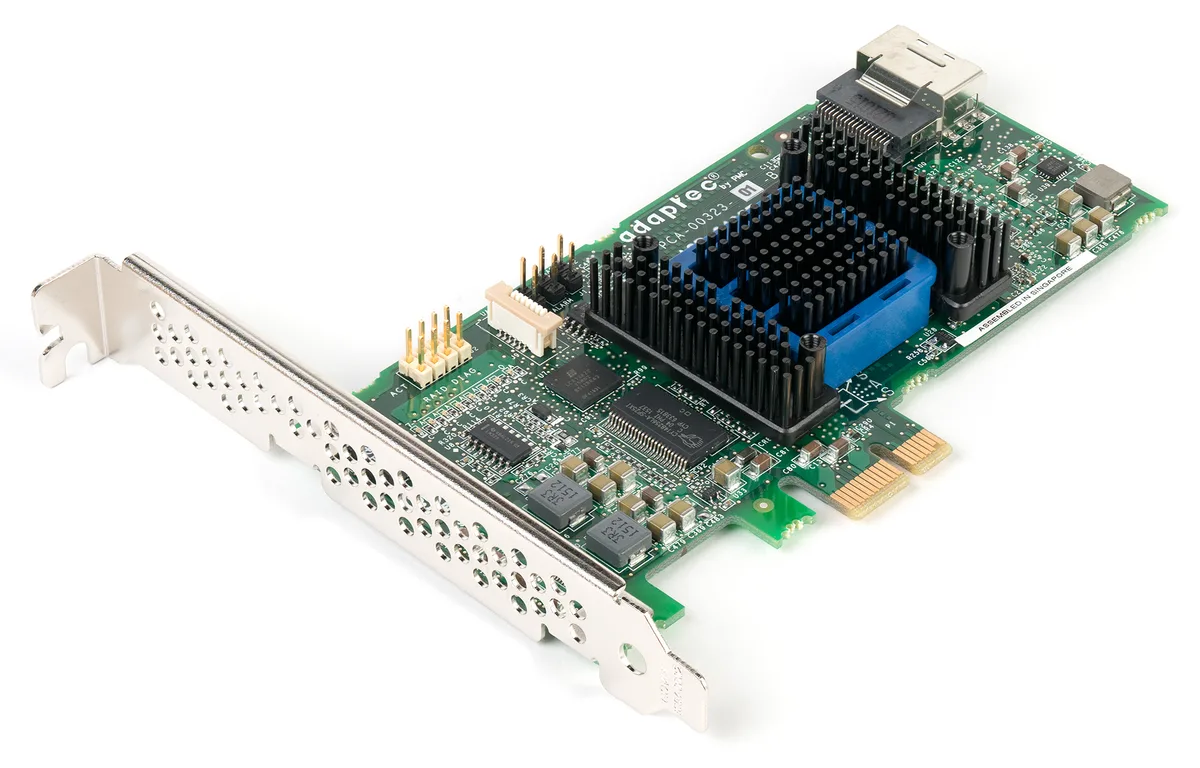
Dell RAID degraded status means a PERC Virtual Disk (VD) has lost redundancy — or a member is Offline/Failed. Short answer: Identify which disk/slot is Failed, Foreign, or Missing; replace with a spare; watch the rebuild — do not casually Clear Foreign. Degraded usually does not mean “data is gone”; RAID 1/5/6/10 can still serve reads, but a second failure risks data loss. Configuration baseline: RAID Best Practices. Metadata confusion: Foreign State. Disks not seen: Not Detecting Disks.
This guide is written especially for:
- Admins seeing “Virtual Disk Degraded” in iDRAC
- Operations teams starting rebuilds correctly during hot-swap
- Teams distinguishing Foreign / Failed / Rebuild
- IT leaders tightening hot-spare and monitoring policy
Quick Summary
- Degraded = VD lost redundancy; the OS often keeps running.
- First Failed slot + LED + iDRAC Storage log; then physical replacement.
- Use same capacity/type (SAS/SATA/NVMe class) — Disk Types.
- Until rebuild finishes, defer risky maintenance that could hit a second disk.
- Foreign ≠ Failed; Import/Clear matters — Foreign State.
- Hot spare + OMSA/iDRAC alerts shorten repeat degraded windows.
- Next on the list: Dell iDRAC Cannot Connect.
Table of Contents
- What Is RAID Degraded?
- Symptoms and Checks
- Step-by-Step Fix
- Foreign, Failed, Rebuild
- Common Mistakes
- Prevention
- Checklist
- Next Step with Leon-X
- Frequently Asked Questions
- Sources
Image: Pexels - Circuit board (server / storage hardware context).
What Is RAID Degraded?
PERC typically reports Virtual Disk health as:
| Status | Meaning |
|---|---|
| Optimal / Ready | All members online, full redundancy |
| Degraded | At least one member missing/failed; redundancy reduced |
| Failed / Offline | VD unreadable or past critical threshold |
| Rebuilding | Data is being rewritten onto a new/spare disk |
Short definition: Dell RAID degraded is when a PowerEdge PERC Virtual Disk has one or more physical disks not Online and the array has lost redundancy; a second failure before rebuild completes can cause data loss.
RAID 0 has no redundancy — one disk loss usually means Failed. RAID 5 tolerates one; RAID 6 two; RAID 10 depends on which mirror members fail.
Symptoms and Checks
- iDRAC Storage → Virtual Disks → Degraded / Offline
- Physical disk LED (amber / blink pattern)
- Lifecycle / System Event Log: Predictive Failure, PFA, sense errors
- OMSA or
omreport storage(if installed) - OS-side I/O slowdown or datastore latency (VMware)
iDRAC basics: What Is iDRAC?. If you cannot connect, fix management access first — next troubleshoot topic is iDRAC Cannot Connect.
Step-by-Step Fix
1) Document the state
- Which VD, RAID level, how many disks Online?
- Failed Physical Disk: bay/slot number
- Predictive failure vs sudden Offline?
- Is a hot spare present, auto-rebuild on?
2) Confirm backup (when possible)
On a critical VD, note the last good backup/snapshot before rebuild. Rebuild restores array health; it is not a backup restore.
3) Replace the failed disk
- Same form factor and capacity (≥ failed); preferably same speed/type.
- If hot-swap capable, remove the failed amber bay while powered on.
- Insert the new disk in the same slot.
- If auto-rebuild does not start, start Replace Member / Rebuild in iDRAC.
- Watch rebuild % (hours–days; size × load).
4) After rebuild
- VD should be Optimal.
- Check consistency / patrol read policy.
- Send the failed drive to RMA/disposal; note firmware baseline — Firmware Update.
Pro Tip: During rebuild, do not run firmware updates, unnecessary reboots, or “test pull” a second disk on the same VD — it widens the degraded window.
Foreign, Failed, Rebuild
| State | What to do |
|---|---|
| Failed / Offline | Replace disk → rebuild |
| Foreign | For an existing VD usually Import; wrong Clear wipes metadata — Foreign guide |
| Ready (new disk) | Assign hot spare or add as VD member |
| Rebuild stuck | Cable/backplane, different slot, HCL-compatible disk; controller logs |
If disks are not detected at all, fix discovery before treating it as a simple degraded case — Not Detecting Disks.
Common Mistakes
- Treating Foreign Clear as “cleanup”
- Installing a smaller-capacity disk
- Powering down for long periods mid-rebuild (policy-dependent)
- Mixing SATA/SAS or mismatched speeds carelessly
- RAID 5 on large disks with no hot spare (long rebuild = long risk)
- One RAID5 for boot+data — Virtualization Ready
Prevention
- Global or dedicated hot spare
- iDRAC email/SNMP alerts + weekly Storage health
- Replace on predictive failure, not after total fail
- RAID level matched to workload — Best Practices
- Healthy PERC/BBU-CacheVault (Write Back)
- Backup + restore tests (RAID ≠ backup)
Checklist
- Screenshot of failed bay/slot and VD status captured.
- RAID level and remaining tolerance known.
- Backup/snapshot status noted.
- Compatible spare ready (capacity/type).
- Failed disk removed, replacement seated.
- Rebuild started and % progressing.
- VD Optimal after rebuild.
- Hot spare reassigned (if used).
- Alert/ticket closed.
- Root cause (PFA, age, firmware) recorded.
Next Step with Leon-X
Leon-X handles PowerEdge PERC degraded/rebuild workflows under Server Maintenance, Warranty, and Technical Support to reduce data-loss risk. Urgent help: Contact Us.
Frequently Asked Questions
Does the server keep running while degraded?
In most RAID 1/5/6/10 cases yes; performance may drop. A second disk failure is critical — do not delay rebuild.
How long does rebuild take?
It depends on capacity, RAID level, I/O load, and PERC model; large SATA/NL-SAS arrays often take hours to days.
Why is a hot spare important?
It can start rebuild automatically on failure and shortens human response delay.
Are Foreign and Degraded the same?
No. Degraded is usually a failed member; Foreign is metadata mismatch. A wrong Clear can destroy data.
Can RAID 0 be “degraded”?
With no redundancy, a single disk loss is usually Failed; expecting “degraded” for RAID 0 is misleading.