FortiGate logging ISO 27001 requirements define how traffic, event, and security logs on a FortiGate NGFW support ISMS monitoring, recording, and incident evidence. Short answer: enabling logs is not enough—you must define which events are recorded, where they are archived centrally, how long they are kept, who can access them, and how often they are reviewed. Compliance = log source + retention + access control + review + SoA.
This guide is written for:
- IT/security teams preparing for ISO 27001 certification or surveillance audits
- FortiGate operators answering SoA monitoring controls with technical evidence
- SOC and ops teams running SIEM / FortiAnalyzer
- Decision makers designing log evidence alongside Law No. 5651 and KVKK
Quick Summary
- For ISO 27001, logging means produce + protect + review.
- Minimum FortiGate package: critical policy logging, admin/event logs, central destination, NTP.
- On-box disk logs are not an audit archive—plan retention on Analyzer/SIEM.
- Log access needs separate rights; an archive everyone can delete is weak evidence.
- Technical setup: How to Configure FortiGate Logging.
- Network-control context: ISO 27001 Network Security with FortiGate.
Table of Contents
- What ISO 27001 Expects from Logging
- Requirements Map
- Which FortiGate Logs Are In Scope?
- Retention, Integrity, and Time
- Access Rights and Review
- ISO + 5651 + KVKK
- Evidence Auditors Often Request
- Most Common Mistakes
- Related Articles
- Checklist
- Next Step with Leon-X
- Frequently Asked Questions
- Sources
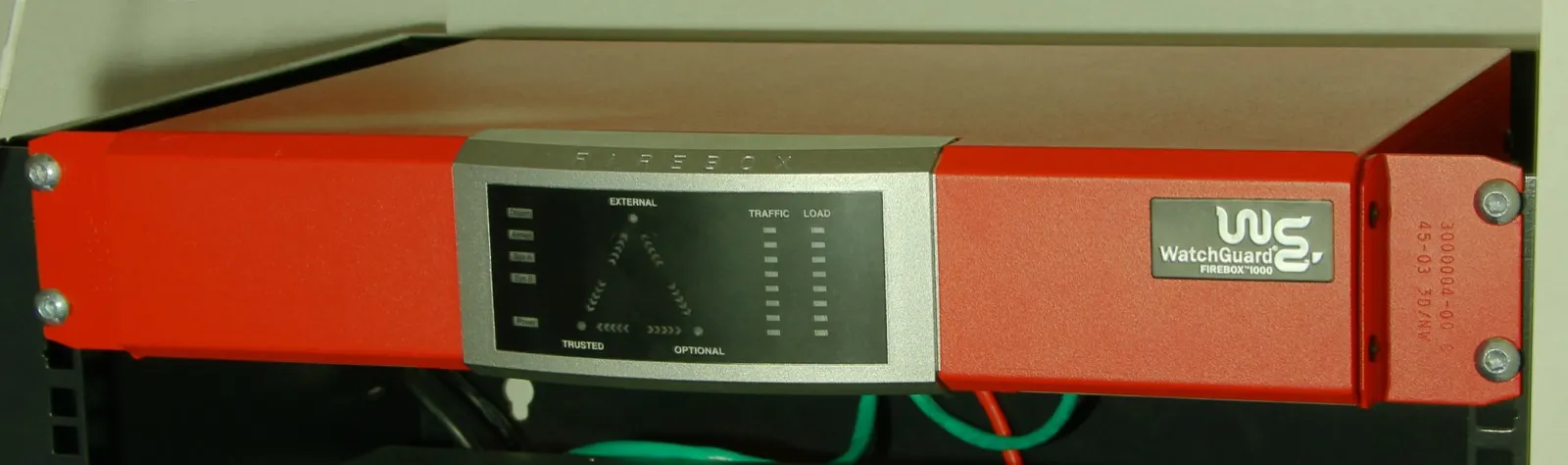
Image: Wikimedia Commons - WatchGuard Firebox 1000 (example enterprise firewall / log-source form factor).
What ISO 27001 Expects from Logging
ISO/IEC 27001 expects monitoring of events, protection of records, and an evidence chain for security incidents. FortiGate is a gateway log source: who went where via which policy, what admins changed, and who connected over VPN.
Short definition:
FortiGate logging ISO 27001 requirements means producing FortiGate records that match ISMS monitoring controls, storing them centrally, restricting access, and reviewing them on a schedule.
“Log & Report is open in the GUI” is not SoA evidence. Auditors typically want sample logs, a retention policy, an access list, and review records. Broader framing: ISO 27001 Network Security.
Requirements Map
| ISO-oriented need | FortiGate / architecture counterpart | Evidence |
|---|---|---|
| Record critical access | Log allowed/denied on policies | Policy export + sample traffic logs |
| Admin actions | Event / admin login logs | Login + config-change samples |
| Central monitoring | Syslog/SIEM or FortiAnalyzer | Destination config + test record |
| Time integrity | NTP + timezone | NTP status, offset <1–2 s |
| Retention period | Central archive policy | Written retention (30–90 days+) |
| Log access control | SIEM/Analyzer RBAC | Privilege matrix, audit trail |
| Periodic review | Review calendar | Signed report (90 days) |
Policy–log link: Policy Configuration. Access-control evidence: FortiGate Access Control ISO 27001.
Which FortiGate Logs Are In Scope?
ISO does not mean “log everything”—it means scope aligned to risk and SoA:
- Traffic logs — critical allow/deny, server-zone access, post-VPN destinations
- Event logs — admin login, config change, system/HA events
- Security logs — IPS/AV/web filter (when licensed profiles are used)
- VPN / auth logs — remote-access identity and session records
Log types left out of scope need a risk justification. Setup steps: How to Configure FortiGate Logging. VPN side: SSL VPN Setup.
Pro Tip: Next to the “network device logs” SoA row, write the FortiGate hostname/serial and SIEM/Analyzer index name. The “which device?” audit question closes immediately.
Retention, Integrity, and Time
Retention follows institutional risk and legal duties. Practical split:
| Purpose | Typical duration (example) | Where |
|---|---|---|
| Ops / troubleshooting | 30–90 days | SIEM hot tier |
| Audit / incident investigation | policy-driven (months–years) | warm/cold archive |
| Law No. 5651 (separate legal) | multi-year (org policy) | legal archive |
On-box disks overwrite when full; long retention needs a central destination. For integrity:
- Correct, monitored NTP
- Log path on the management network / encrypted when possible
- Separated delete rights on the central archive
- Hash/WORM or SIEM immutability where feasible
SIEM architecture: SIEM, Syslog and 5651. Integrity angle: Log Integrity under 5651.
Access Rights and Review
For ISO, who can read or delete logs matters as much as producing them:
- FortiGate admin ≠ SIEM admin (segregation of duties)
- Deleting logs / changing retention needs separate approval
- Written review cadence (e.g. weekly SOC + quarterly ISMS)
- Alerts for deny spikes, admin fail logins, VPN anomalies
In HA, clarify which node emits logs: HA Setup.
ISO + 5651 + KVKK
| Framework | What it expects from logs | FortiGate role |
|---|---|---|
| ISO 27001 | Monitoring, retention, review, incident evidence | Traffic/event/security source |
| Law No. 5651 | Internet-access records / evidence | NAT/traffic logs + identity layer |
| KVKK | Access trail for breach/investigation | Segmentation + access logs |
5651 ≠ ISO. The same FortiGate source can feed two policies, but purpose and retention must stay distinct: 5651 Logging, 5651 vs KVKK, KVKK Network Security with FortiGate.
Evidence Auditors Often Request
- Export showing log enabled on critical policy IDs
- Sample traffic + admin login from the last
7–30 days - Central destination (syslog/Analyzer) config screenshot
- Retention policy PDF / procedure
- Log access privilege list
- Latest review report (date + approval)
- NTP status and timezone
Without this pack, “logging exists” is a weak claim.
Most Common Mistakes
- Trusting Log & Report while policy logging is off
- Expecting ISO retention from on-box disk alone
- Missing or wrong NTP/timezone
- Giving everyone SIEM delete rights
- Calling automatic logs “compliance” without review
- Treating a 5651 archive as ISO review evidence (different purpose)
Related Articles
- How to Configure FortiGate Logging
- ISO 27001 Network Security with FortiGate
- FortiGate Access Control ISO 27001
- ISO 27001 Network Security: Firewall and VPN
- SIEM, Syslog and 5651 Architecture
- Log Integrity under 5651
- FortiGate Policy Configuration
- KVKK and ISO 27001 Integration
Checklist
- SoA defines FortiGate log scope (traffic/event/security).
- Critical policies have log allowed/denied enabled.
- Admin login and config changes hit event logs.
- Central syslog/SIEM or FortiAnalyzer tested.
- NTP offset monitored (
<1–2 s). - Retention written; on-box disk is not the only archive.
- Delete rights separated; RBAC documented.
- Review calendar and latest report archived.
- HA log source (active/passive) clarified.
Next Step with Leon-X
FortiGate logging for ISO 27001 is an evidence chain—not the appliance alone. Under Hardware & Software Solutions, Leon-X aligns FortiGate + central logging with ISMS expectations. See especially SIEM and Security Event Management Integration and Network Security, Firewall and IPS/IDS. For governance, use Network Security Policy Management and Contact.
Frequently Asked Questions
Is FortiGate logging enough for ISO 27001?
Not by itself. With central retention, access rights, a retention policy, reviews, and SoA, it contributes to ISO monitoring controls.
Which log types are mandatory?
The standard does not name models; risk and SoA decide. In practice, critical traffic, admin/event, and (if used) security logs form the minimum pack.
Is FortiAnalyzer required?
No—syslog/SIEM is acceptable. FortiAnalyzer eases native Fortinet reporting and needs a separate license.
How long should logs be kept?
Ops is often 30–90 days; audit/legal periods extend by policy. Write the duration down—do not rely on disk overwrite.
Does 5651 logging satisfy ISO?
No. The same source can feed both, but purpose, retention, and review processes differ.