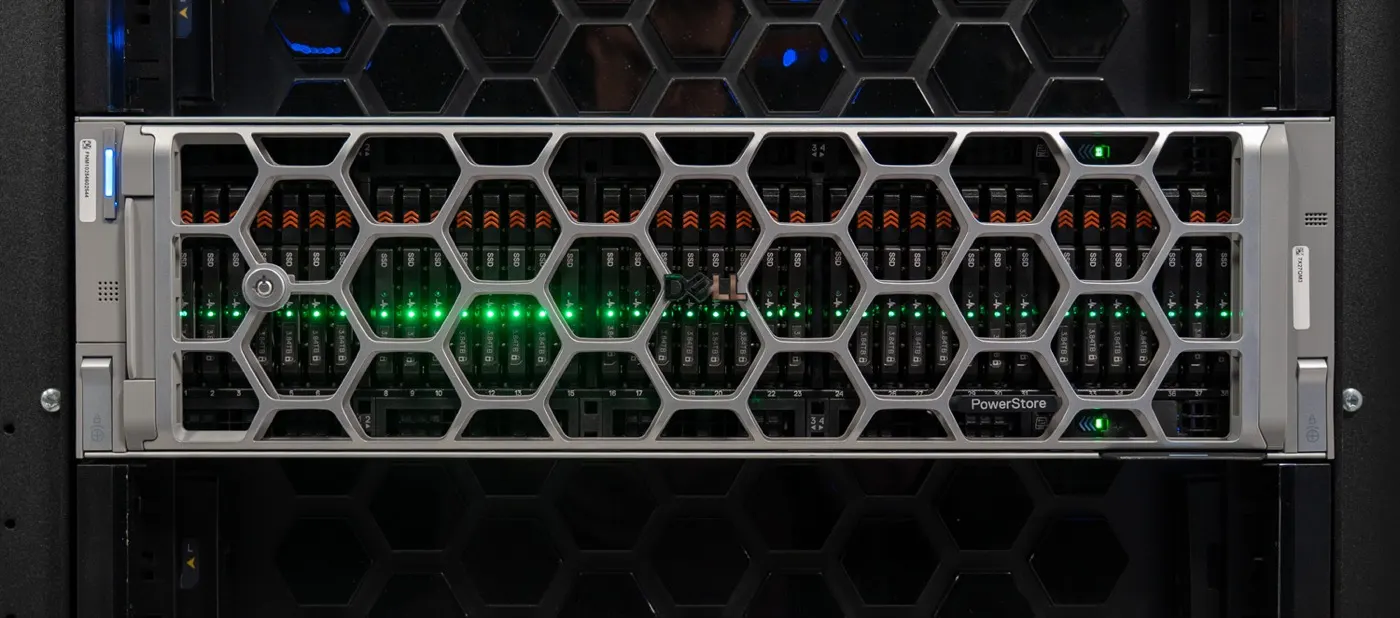
A Dell Storage SAN vs NAS comparison separates access models before asking “which box is better?” Short answer: a SAN (Storage Area Network) presents block devices (LUNs/volumes) to hosts—typical protocols Fibre Channel, iSCSI, NVMe/FC, NVMe/TCP. A NAS (Network Attached Storage) shares file/object—NFS, SMB (and S3 on many modern platforms). In Dell’s portfolio, SAN/block leans PowerMax and PowerStore; scale-out NAS is PowerScale. PowerStore can also unify block+file on one appliance.
This comparison is written for:
- IT leaders stuck on “SAN or NAS?” before mapping product families
- Architects splitting VMware/DB block from media/AI file in one RFP
- Teams that must not confuse PowerStore unified with PowerScale scale-out
- Procurement stacking FC fabric investment against Ethernet NAS growth in TCO
Quick Summary
- SAN = block (LUN); NAS = file share (folder/namespace).
- SAN protocols: FC, iSCSI, NVMe/FC, NVMe/TCP; NAS: NFS, SMB (+ S3).
- Dell map: PowerMax ≈ mission-critical block; PowerStore ≈ unified block+file; PowerScale ≈ scale-out NAS.
- VMFS / classic DB / low-latency cluster → usually SAN/block.
- Media, home/share, AI datasets, PB unstructured → usually NAS (PowerScale or PowerStore file).
- Unified ≠ scale-out NAS: PowerStore file ≠ OneFS cluster — PowerScale use cases.
- Decide by: protocol + workload + growth model + existing fabric (FC vs Ethernet).
Table of Contents
- What Are SAN and NAS?
- Comparison Table
- Where They Sit in the Dell Portfolio
- Choosing by Workload
- Network and Operations Differences
- Common Confusions
- Decision Matrix
- Checklist
- Next Step with Leon-X
- Frequently Asked Questions
- Sources

Image: Pexels - Server rack / data center (enterprise storage infrastructure context).
What Are SAN and NAS?
SAN (Storage Area Network)
A SAN presents block devices (LUNs) that look like disks to servers. The hypervisor or OS owns the file system (VMFS, NTFS, XFS…). Typical use: VMware datastores, database volumes, cluster shared-disk designs.
NAS (Network Attached Storage)
A NAS serves files on the network. Clients see folders; permissions, locks, and share protocols live on the storage. Typical use: user homes, project shares, media pools, AI training datasets.
Short definition: SAN vs NAS is not a brand war; it is matching block LUN vs file share semantics to the workload.
Comparison Table
| Dimension | SAN (block) | NAS (file) |
|---|---|---|
| Access unit | LUN / volume (block) | File / folder / namespace |
| Typical protocol | FC, iSCSI, NVMe/FC, NVMe/TCP | NFS, SMB (+ S3) |
| File system owner | Host / hypervisor | Storage (NAS OS) |
| Classic strength | VMs, DBs, low-latency I/O | Sharing, concurrency, unstructured |
| Network | FC fabric or IP SAN | Ethernet (front-end) |
| Dell examples | PowerMax, PowerStore block | PowerScale; PowerStore file |
PowerStore data sheets / platform intro: block (FC, iSCSI, NVMe/FC, NVMe/TCP, vVols) and file (NFS, SMB) on the same appliance—that is the unified model, different from PowerScale’s OneFS scale-out cluster.
Where They Sit in the Dell Portfolio
| Need | Dell direction | Depth |
|---|---|---|
| Mission-critical block, SRDF, mainframe | PowerMax | PowerMax guide |
| Modern unified block+file, VMware consolidation | PowerStore | What is PowerStore · vs PowerMax |
| Scale-out unstructured / AI / M&E | PowerScale | What is PowerScale · use cases |
| Install (NAS/SAN) | Service + guides | PowerStore install · PowerScale install |
Pro Tip: Writing “we need NAS” and buying PowerMax—or “we need SAN” and only evaluating PowerScale—is among the costliest RFP mistakes. Access type first, product second.
Choosing by Workload
Lean SAN / block when:
- VMware VMFS / vVols block datastores
- Oracle / SQL / low-latency transactional DB
- Clusters that expect shared block
- Existing FC fabric and HBA investment must be preserved
Lean NAS / file when:
- Windows/Linux homes and departmental shares
- Media edit / render farms (many clients, large files)
- AI/GenAI datasets and checkpoints (file/object throughput)
- PB-growing single namespace → PowerScale
Both: The corporate standard is often a hybrid portfolio—block on PowerStore/PowerMax, unstructured on PowerScale. PowerStore file can cover mid-scale file needs; for scale-out AI/M&E, PowerScale is the more natural fit.
Network and Operations Differences
| Topic | SAN | NAS |
|---|---|---|
| Zoning / LUN masking | Critical on FC | Usually none; export/share ACLs |
| Multipathing | Host MPIO / NMP | Client mount + SmartConnect (PowerScale) |
| Snapshot meaning | Volume/LUN snapshot | File system / path snapshot |
| Growth language | Shelf / capacity / node pair | Add nodes (scale-out) or appliance scale |
On PowerScale, plan front-end (client) and back-end (node-to-node) networks separately — installation guide. On PowerStore, start with the management + host (FC/iSCSI) worksheet.
Common Confusions
- “NAS is slow, SAN is fast” — Myth. Latency depends on workload, media, and design; all-flash NAS can deliver huge throughput; a poorly designed SAN is slow.
- “PowerStore = PowerScale” — No. Unified appliance ≠ OneFS scale-out cluster.
- “NFS datastore = SAN” — NFS is a file protocol; valid in VMware, but not block SAN — VMware NFS Datastore.
- One SKU for everything — OLTP + 8K media rarely share one SLA on one platform.
Decision Matrix
| Question | SAN | NAS |
|---|---|---|
| Should the host see a disk or a folder? | Disk (LUN) | Folder |
| Primary protocol? | FC / iSCSI / NVMe-oF | NFS / SMB |
| Growth model? | Array/appliance capacity | File cluster nodes (or unified file) |
| Dell shortlist? | PowerMax / PowerStore | PowerScale (+ PowerStore file) |
Checklist
- Workloads split into block vs file?
- Existing FC fabric / Ethernet capacity inventoried?
- VMware VMFS vs NFS decision written down?
- Unstructured PB and concurrency measured?
- PowerStore unified file vs PowerScale need separated?
- PowerMax vs PowerStore block segment clear?
- DR: SRDF / native replication / SyncIQ which?
- 5-year TCO: switches, HBAs, licenses, node growth?
- RFP language fixed to “SAN/NAS” + product family?
Next Step with Leon-X
Leon-X clarifies SAN vs NAS decisions with a workload matrix and Dell portfolio mapping via NAS/SAN Storage Installation and Configuration. For discovery: Contact Us.
Frequently Asked Questions
Is SAN or NAS faster?
No useful generalization. Transactional low latency often aligns with block/SAN designs; media and AI high throughput often favor NAS (especially scale-out). Measure.
Is PowerStore SAN or NAS?
It can be both: a unified appliance—block (SAN-like host access) and file (NAS) on one platform. Evaluate PowerScale separately for scale-out unstructured.
Is PowerScale a SAN?
No. PowerScale is a scale-out NAS (file/object, OneFS) platform.
Can you have SAN without Fibre Channel?
Yes. iSCSI and NVMe/TCP provide block SAN access over IP; FC is not mandatory.
Is using both in one data center normal?
Yes—that is the enterprise norm: arrays for block, NAS for large file pools. The mistake is forcing one product in one RFP.