Choosing a FortiGate model is not picking the highest firewall throughput line and buying “one size up.” The right choice weighs Threat Protection capacity, concurrent sessions, SSL VPN users, IPsec throughput, interface types (1G/10G/SFP), and HA needs in one matrix. The wrong model chokes with IPS on, drops VPN sessions, or runs out of headroom in 2–3 years.
This guide is written for:
- Network and security teams deciding FortiGate series/model class
- IT managers technically filtering reseller quotes
- Engineers replacing an aging edge firewall
- Decision makers who need metrics in the buying brief
Quick Summary
- The primary metric is Threat Protection throughput; raw firewall throughput is reference only.
- Measure first: peak bandwidth, sessions, VPN, branches, VLAN/zones.
- Planned SSL inspection can raise capacity needs by
2-4x. - Small office, mid-size hub, and campus/DC edge need different classes.
- For HA, buy two identical models with matching FortiOS and license level.
- Read this together with the buying / TCO guide.
Table of Contents
- Why Model Selection Matters
- Step 1: Measure the Need
- Step 2: Read Datasheet Rows Correctly
- Step 3: Pick a Class by Scenario
- Step 4: Interfaces, Form Factor, and HA
- Step 5: Growth Headroom and Ceiling
- Decision Matrix
- Most Common Model Selection Mistakes
- Related Articles
- Checklist
- Next Step with Leon-X
- Frequently Asked Questions
- Sources
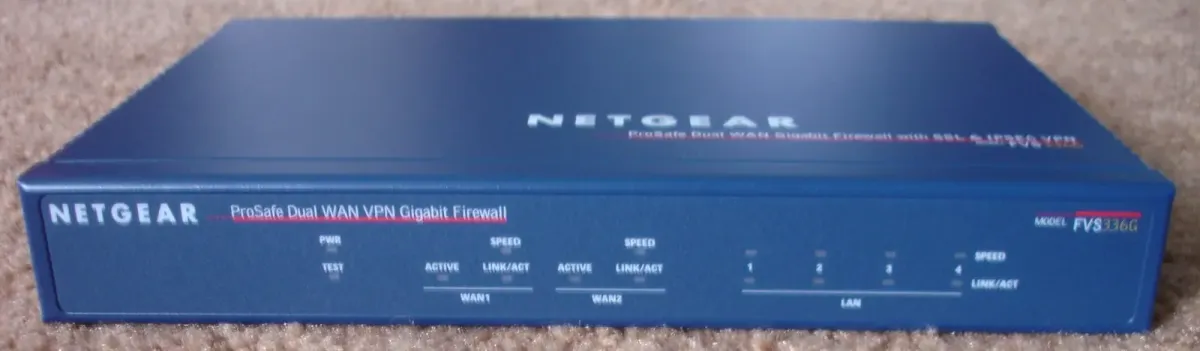
Image: Wikimedia Commons - Netgear ProSafe Dual WAN VPN Gigabit Firewall FVS336G (example enterprise firewall form factor).
Why Model Selection Matters
FortiGate is Fortinet’s FortiOS-based NGFW line. For product definition, see What Is a FortiGate Firewall?; for the company ecosystem, see What Is Fortinet?. Model selection answers “which capacity class?”
Wrong-model cost is more than price delta:
- Latency and user complaints once IPS/AV is enabled
- Hitting SSL VPN session limits
- Being stuck on 1G when 10G is required
- Single point of failure on a critical non-HA edge
Understanding packet/policy behavior also explains why Threat Protection matters: see How Does a Fortinet Firewall Work?.
Step 1: Measure the Need
Write at least these values into the model brief:
| Metric | Example question | Unit |
|---|---|---|
| Peak internet | Peak Mbps at busy hour? | Mbps / Gbps |
| Threat Protection | Target with IPS+AV on? | Mbps / Gbps |
| Concurrent sessions | Peak sessions on current firewall? | count |
| SSL VPN users | Concurrent remote users? | count |
| IPsec tunnels | Branch / cloud tunnels? | count |
| Interfaces | 1G or 10G/SFP? | port type |
| HA | Is downtime acceptable? | yes/no |
If you will use SSL inspection, grow capacity further; see FortiGate SSL Inspection. For segmentation complexity, factor in VLAN Configuration.
Step 2: Read Datasheet Rows Correctly
Datasheets list multiple throughput numbers. Read in this order:
- Threat Protection / NGFW throughput — primary
- IPS throughput — IPS-heavy designs
- IPsec VPN throughput — multi-branch
- SSL-VPN concurrent users — remote access
- Firewall throughput — upper-bound reference only
- Concurrent sessions / new sessions/sec — busy office/servers
Pro Tip: Seeing “Firewall 20 Gbps” while Threat Protection is
2 Gbpsand buying on the firewall line is the most common mistake. Size on the profiles you will actually enable.
For vendor comparison, use Fortinet vs Palo Alto vs Cisco.
Step 3: Pick a Class by Scenario
Exact SKUs must be validated with datasheets and partner quotes. This table frames class selection:
| Scenario | Rough Threat Protection | Typical needs |
|---|---|---|
Small office (10-50 users) | 200-800 Mbps | Single box, SSL VPN, basic UTM |
| Mid-size / branch hub | 1-3 Gbps | Site-to-site + segmentation |
| Campus / DC edge | 5-20+ Gbps | HA, 10G, high sessions |
Scenario patterns:
- Edge + UTM: Prioritize Threat Protection for internet egress and content control.
- VPN-heavy: SSL VPN / IPsec counts set the ceiling; see SSL VPN, Site-to-Site VPN.
- High continuity: Budget HA class and dual appliances; see HA Installation.
Step 4: Interfaces, Form Factor, and HA
Correct capacity with wrong interfaces still fails:
- Enough
1G/10G/ SFP+ for WAN/LAN - At least one (preferably two) HA heartbeat ports
- Dedicated management port
- Desktop vs
1Urack (noise, cooling, rack space)
Do not separate HA from model choice: Active-Passive needs two identical models. Mixing models as “sort of standby” is not a healthy cluster design.
Step 5: Growth Headroom and Ceiling
Add 12-36 months of growth:
- User growth
%20-40 - New branch / cloud tunnels
- Move to SSL inspection
- Logging/analytics load (FortiAnalyzer / SIEM)
Extreme oversizing is also wrong: licenses and TCO inflate. A balanced approach is about 1.5-2x measured Threat Protection need, aligned with the 3–5 year TCO view in the buying guide.
Compliance controls (ISO 27001 access/logging) still need process, but leave CPU/log headroom. See ISO 27001 Network Security: Firewall and VPN and FortiGate Access Control for ISO 27001.
Decision Matrix
| Criterion | Suggested weight | Notes |
|---|---|---|
| Threat Protection capacity | 35% | Primary filter |
| VPN (SSL + IPsec) | 20% | User/tunnel ceiling |
| Interfaces / form factor | 15% | 10G/SFP/rack |
| Session capacity | 10% | Peak sessions |
| HA readiness | 10% | Dual identical units |
| License/TCO fit | 10% | 3–5 years |
Score candidates with this matrix; do not rank by price alone.
Most Common Model Selection Mistakes
- Sizing on firewall throughput while ignoring Threat Protection
- Measuring without SSL inspection, then enabling it in production
- Underestimating VPN concurrency
- Choosing a critical edge without HA
- Buying a 1G-limited model when 10G is required
- Skipping measurement and defaulting to “one size up”
If Security Fabric and central visibility are growing, plan management/analytics with the model: What Is Fortinet Security Fabric?.
Related Articles
- FortiGate Firewall Buying Guide
- What Is a FortiGate Firewall?
- What Is Fortinet and What Does It Do?
- How Does a Fortinet Firewall Work?
- Fortinet vs Palo Alto vs Cisco
- FortiGate HA Installation
- ISO 27001 Network Security: Firewall and VPN
Checklist
- Peak bandwidth, sessions, VPN, and branch counts measured
- Threat Protection target capacity written down
- SSL inspection impact included (if applicable)
- Datasheet read with Threat Protection first
- Scenario class chosen (small / mid / campus)
- Interfaces and form factor validated
- HA yes/no and identical dual-model decision made
-
12-36 monthgrowth headroom cross-checked with TCO
Next Step with Leon-X
FortiGate model selection is measurement + datasheet + scenario matrix. Leon-X validates requirements and class recommendations under Hardware and Software Solutions, especially Router, Switch and Firewall Deployment Service and Network Security, Firewall and IPS/IDS Solutions. For discovery, continue through Contact.
Frequently Asked Questions
Which datasheet row should I check first?
Threat Protection (NGFW) throughput. It reflects production capacity with IPS/AV/app control enabled.
Is the smallest model always enough for a small office?
No. SSL VPN concurrency, SSL inspection, and ISP speed can exceed a small model. Measure first.
Can HA use two different models?
Active-Passive HA expects an identical model pair. Mixing models as “backup” is not a sound cluster design.
Is buying one size up safe?
Not without measurement. Oversizing inflates license/TCO; undersizing breaks production. About 1.5-2x Threat Protection headroom is a common balance.
How is this different from the buying guide?
Model selection is the technical class/capacity decision; the buying guide covers licenses, TCO, and quote checklists. Use both together.