Dell Server Memory Error means one or more DIMMs on a PowerEdge are reporting ECC/parity or training faults: iDRAC Memory alerts, POST beep/LED, OS MCE/EDAC. Short answer: Identify which slot / which severity (Correctable vs Uncorrectable); reseat and verify population rules; if it repeats or is uncorrectable, RMA the DIMM or board. Architecture: What Is PowerEdge?. Logs: iDRAC. Boot-related: Boot Issues.
This guide is written especially for:
- Admins seeing “Memory Device Status: Critical” in iDRAC
- Operations separating Correctable ECC floods from Uncorrectable crashes
- Teams standardizing DIMM reseat / slot-move procedures
- IT leaders gathering evidence before warranty RMA
Quick Summary
- Memory Error = DIMM/channel health; it often starts on a single slot.
- Correctable = ECC fixed it (watch/replace); Uncorrectable = corruption / panic risk.
- iDRAC Lifecycle / SEL: bank, slot (A1, B2…), error count.
- Reseat → move DIMM to another slot → known-good DIMM test.
- Population / speed / rank must match — Buying Guide.
- VMware ballooning ≠ physical DIMM failure — Ballooning.
- Next on the list: Dell Server CPU Error.
Table of Contents
- What Is a Memory Error?
- Correctable vs Uncorrectable
- Symptoms and Logs
- Step-by-Step Fix
- Population and Compatibility
- Common Mistakes
- Checklist
- Next Step with Leon-X
- Frequently Asked Questions
- Sources
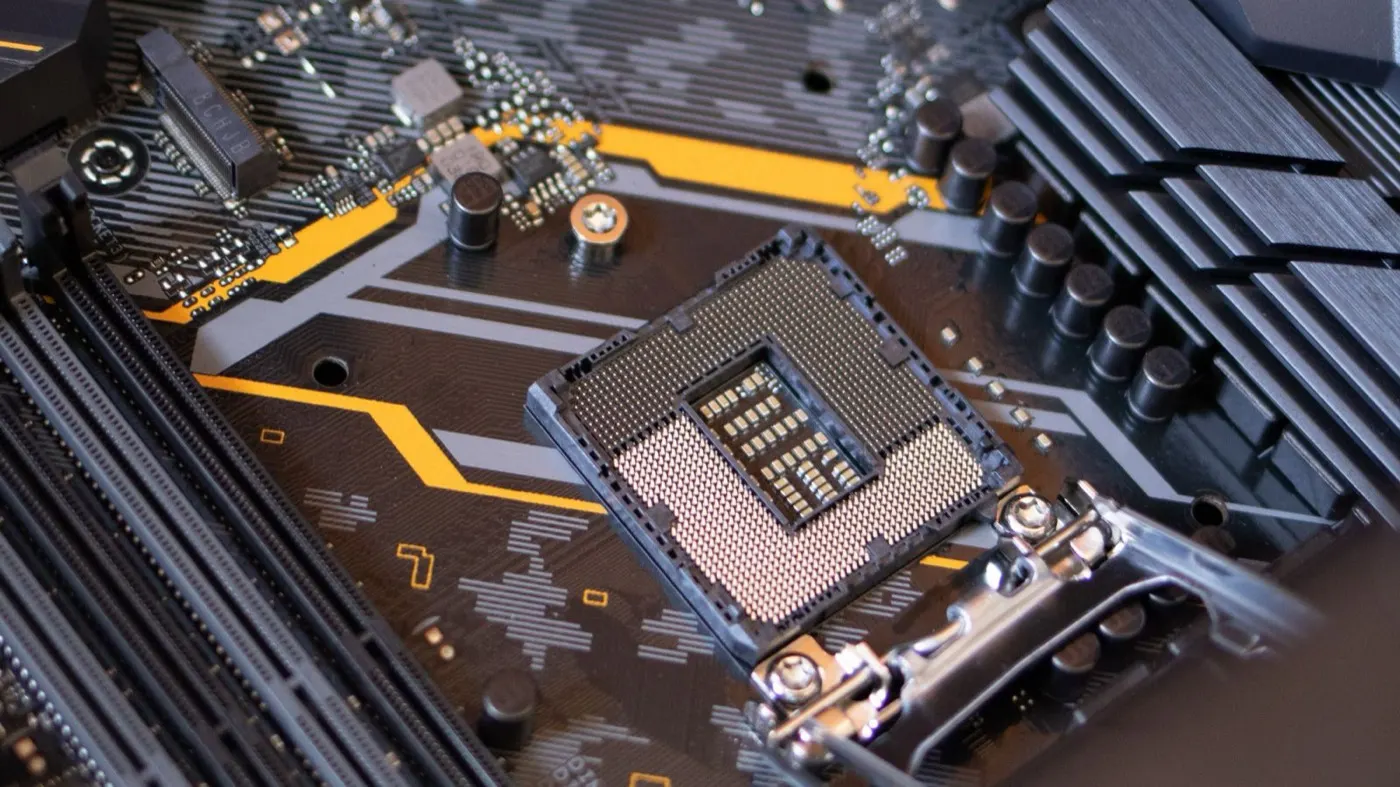
Image: Pexels - Computer motherboard (DIMM / server hardware context).
What Is a Memory Error?
On PowerEdge, the memory subsystem is ECC registered (RDIMM/LRDIMM) DIMMs plus the memory controller. A “memory error” is usually one of:
| Type | Example |
|---|---|
| Correctable ECC | Single-bit corrected; counter rising |
| Uncorrectable / Multi-bit | OS panic, PSOD, reboot |
| Training / Config | POST missing memory or downclock |
| Predictive failure | iDRAC “Replace” guidance |
Short definition: Dell Server Memory Error is when a DIMM or memory channel on a PowerEdge produces ECC/training faults; diagnosis starts with slot ID + severity, and the fix is reseat, isolation testing, or RMA.
Virtualization memory pressure is a separate topic — CPU Overcommit · Ballooning.
Correctable vs Uncorrectable
| Correctable | Uncorrectable | |
|---|---|---|
| Impact | Usually stays up | Crash / data risk |
| Action | Trend-watch; frequent → replace | Isolate immediately / RMA |
| Log | “Correctable memory error” | “Uncorrectable”, MultiBit ECC |
| Urgency | Planned maintenance | Critical |
Pro Tip: If the correctable counter on the same slot climbs quickly within hours, do not “wait and see” — that path often ends in Uncorrectable.
Symptoms and Logs
- iDRAC System → Inventory → Memory or Alerts
- Lifecycle Log / SEL:
Memory Device, DIMM location - POST: memory configuration warning, beep codes (model-dependent)
- OS: Windows Bug Check, Linux MCE, VMware purple screen
- Amber system health LED
If iDRAC is unreachable: Cannot Connect · IP Not Accessible.
Step-by-Step Fix
1) Document
- Service Tag, model (R750/R760…)
- Failing DIMM slot label (e.g. A1)
- Correctable or Uncorrectable?
- Last firmware/BIOS date — Firmware
2) Soft checks
- Clear pending alerts in iDRAC (does not remove root cause)
- Put the host in maintenance (if clustered) — Cluster
3) Physical isolation (ESD!)
- Power down (or follow hot-plug policy if applicable)
- Remove the suspect DIMM, inspect contacts, reseat
- Return to the same slot → test (memtest / production load / iDRAC)
- If it fails, move the DIMM to a known-good empty slot (respect channel rules)
- Old slot clean, DIMM fails elsewhere → bad DIMM
- DIMM OK everywhere, slot always fails → board/channel suspect
4) RMA / spare
- Dell Support: SEL screenshot + slot
- Spare DIMM: same capacity, speed, rank; do not mix RDIMM/LRDIMM
- Monitor 24–48 hours after replacement
If the host will not boot: Boot Issues · BIOS Boot Loop.
Population and Compatibility
- Follow the whitepaper slot-fill order (CPU0 first, matched pairs)
- Mixed size/speed → downclock or config fail
- Mirror / spare memory changes usable capacity and fault tolerance
- Third-party DIMMs: HCL / Support Matrix risk
Performance context: Performance Optimization · BIOS Optimize.
Common Mistakes
- Ignoring a correctable flood
- Mixing ranks/speeds casually
- Reseating without ESD control
- Mistaking ballooning / host swap for a physical fault
- Swapping DIMMs randomly without logging slots
- Returning an Uncorrectable host to the cluster before isolation
Checklist
- Slot and severity noted from iDRAC/SEL.
- Correctable vs Uncorrectable separated.
- Maintenance window planned.
- Reseat completed.
- Slot ↔ DIMM swap isolation done.
- Compatible spare DIMM ready.
- RMA / Support case opened (if needed).
- Firmware/BIOS version recorded.
- 24–48 hour alert watch.
- Runbook updated (population diagram).
Next Step with Leon-X
Leon-X handles PowerEdge memory-error diagnosis and DIMM RMA under Server Maintenance, Warranty, and Technical Support. Urgent: Contact Us.
Frequently Asked Questions
Can a correctable error take the server down?
A one-off rarely does. Rapid repeats on the same DIMM raise Uncorrectable risk — plan a replacement.
Do we replace all RAM?
No. Isolate the failing slot/DIMM first; follow matched-set / channel rules if your policy requires it.
Is memtest mandatory?
In production, iDRAC logs + isolation are often enough. Memtest adds shop-floor evidence.
Can we install non-ECC DIMMs?
Use supported ECC RDIMM/LRDIMM on enterprise PowerEdge; non-ECC usually POST-fails or is unsupported.
Is memory error the same as CPU error?
No. CPU/thermal is a separate family; next list topic is CPU Error. Fan/PSU: Fan Error · PSU Failure.