Dell PowerEdge Server performance optimization aligns BIOS System Profile, memory/NUMA, storage (RAID/disk type), firmware, and networking to the workload SLA—and then measures it. Short answer: find the bottleneck first (CPU, memory, disk IOPS, network); change one layer at a time—“set everything to Maximum Performance” raises power/heat and does not always cut latency. BIOS: BIOS Optimization. Architecture: What Is PowerEdge?.
This guide is written for:
- Systems admins speeding up a VM host or database server
- Infrastructure teams splitting IOPS / latency complaints layer by layer
- Data center ops balancing a power ceiling against performance
- Ops teams locking firmware and BIOS baselines together with performance
Quick Summary
- Do not change profiles without measuring; split CPU, memory, disk, and network first.
- System Profile by workload: Per Watt for VM hosts, Performance for low latency.
- Separate boot (BOSS/M.2) from data RAID; the wrong RAID level costs more than CPU.
- Stale firmware makes tuning misleading — Firmware Update.
- Power: Power Consumption.
- Disks: SAS vs SATA vs NVMe, RAID Best Practices.
Table of Contents
- What Is Performance Optimization?
- Find the Bottleneck First
- BIOS and CPU Profile
- Memory and NUMA
- Storage: RAID, Disk Type, Cache
- Network and iDRAC Monitoring
- Firmware Baseline
- Examples by Workload
- Most Common Mistakes
- Related Articles
- Checklist
- Next Step with Leon-X
- Frequently Asked Questions
- Sources
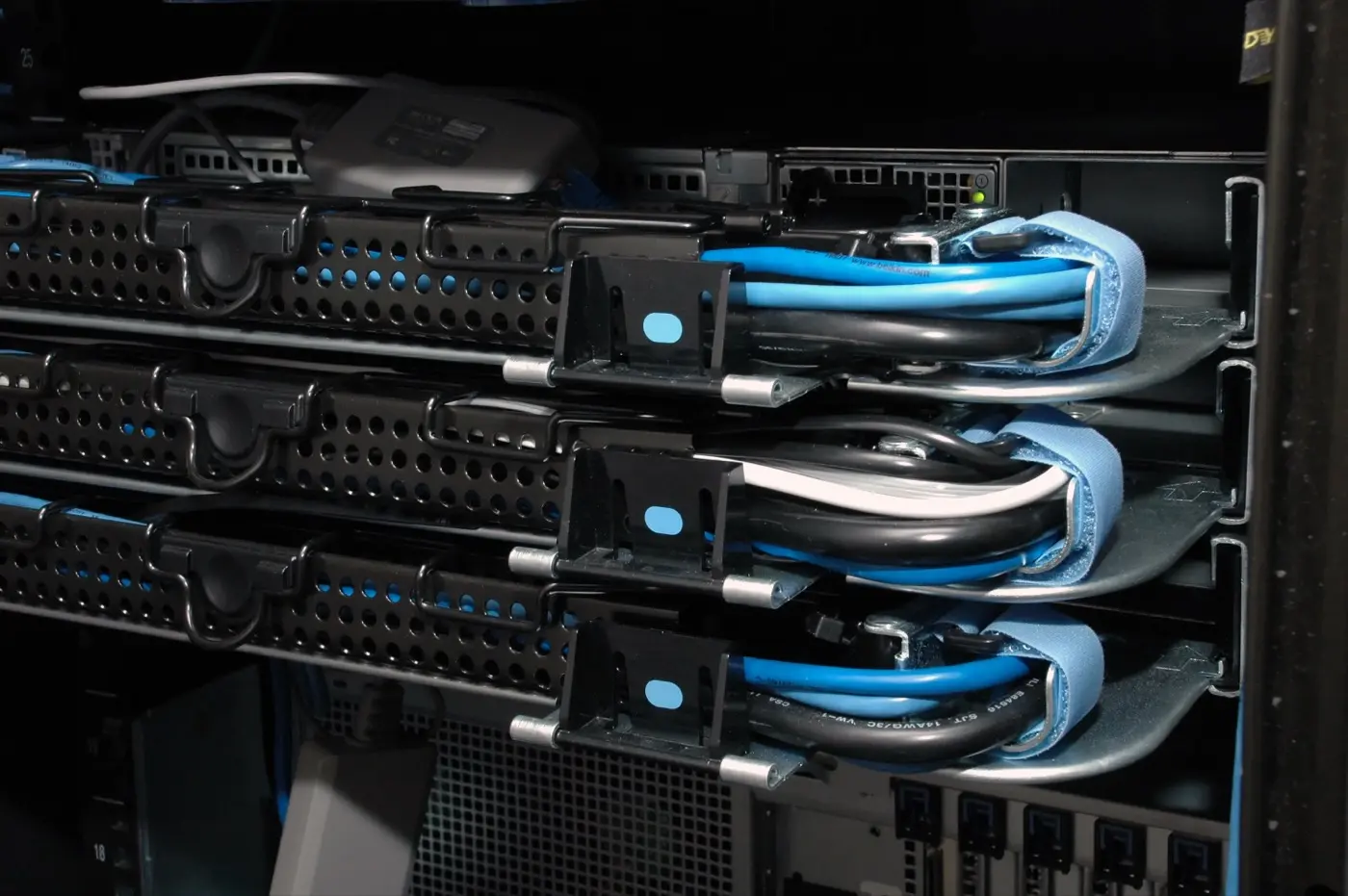
Image: Wikimedia Commons - Cable Management Dell 1950 (rack PowerEdge / cabling context).
What Is Performance Optimization?
Short definition:
PowerEdge performance optimization is tuning platform (BIOS/CPU/memory), storage, network, and firmware to a workload metric (latency, IOPS, throughput, VM density) and locking a measurable baseline.
A wrong RAID or BIOS profile on install day wastes later “tuning” — Installation Guide.
Find the Bottleneck First
Do not change five settings at once. In order:
- CPU:
% steal/ ready time (hypervisor), user vs system - Memory: swap, balloon, NUMA remote access
- Disk: latency (
>10–20 msas a workload-dependent warning), queue depth, RAID rebuild - Network: drops, pause frames, a single NIC bottleneck
- Power/heat: thermal throttle — iDRAC sensors
Sources: OS counters + iDRAC health/SEL — What Is iDRAC?.
Pro Tip: Sustained hypervisor CPU ready (
>%10–15) is often overcommit or storage wait—not “Turbo disabled in BIOS.”
BIOS and CPU Profile
| Setting | Performance effect | Note |
|---|---|---|
| System Profile: Performance | Lower latency | Watts/heat rise |
| Performance Per Watt | General VM host | Balanced start |
| Constrained C-States | More consistent latency | Do not disable without measurement |
| Turbo On | Burst workloads | Test for consistency |
| HT/SMT | On for most VMs | Some DBs trial Off |
Detailed menus: How to Optimize BIOS Settings. If the power ceiling dominates: Power Consumption.
Memory and NUMA
- Populate DIMMs per the guide; missing channels cut memory bandwidth
- Node Interleaving: usually Disabled (preserve NUMA)
- Hypervisor vCPU/memory pinning or NUMA-aware placement
- Memory Operating Mode: Optimizer for capacity; Mirror for resilience (capacity halved)
Wrong slot order is a common cause of a “slow server.” Architecture: What Is PowerEdge?.
Storage: RAID, Disk Type, Cache
Most performance is lost here:
- Separate OS boot (BOSS/M.2) from the data VD
- OLTP / low latency: often RAID10; capacity: RAID6 (write penalty)
- Disk type: NVMe > SAS SSD > SATA SSD > HDD — SAS vs SATA vs NVMe, NVMe Setup
- PERC cache / CacheVault must be healthy; write-back policy by workload
- Latency rises during rebuild—plan a maintenance window
RAID: Best Practices. If disks are missing, do not tune: RAID Disk Detect.
Network and iDRAC Monitoring
- On VM hosts, 10/25/100 GbE and correct RSS/offload; a single 1 GbE can look like a “slow server”
- SR-IOV / VT-d must be on in BIOS for passthrough — BIOS Optimization
- Do not put iDRAC on the data VLAN; keep monitoring on mgmt — iDRAC Security
If iDRAC is unreachable, fix the network first: iDRAC Not Responding.
Firmware Baseline
Old PERC/NIC firmware can produce “slow I/O” independent of BIOS. Before tuning:
- Align BIOS + iDRAC + PERC + NIC with a Catalog
- Job success and health OK
- Confirm System Profile was not reset
Steps: Firmware Update. Boot issues: Boot Failure.
Examples by Workload
| Workload | Focus | Typical move |
|---|---|---|
| General VM host | Density + watts | Per Watt, HT On, separate data RAID |
| OLTP / DB | Latency | Performance, RAID10, NVMe/SAS SSD, measure C-States |
| VDI | Density | Per Watt / Dense, enough memory channels |
| Backup / archive | Throughput | Large sequential I/O, RAID6 acceptable |
| HPC / compile | CPU burst | Performance + Turbo, verify cooling |
ISO/security hardening can constrain performance on purpose (Secure Boot, audit log) — ISO PowerEdge.
Most Common Mistakes
- Setting BIOS to Maximum Performance without measuring the bottleneck
- Mixing OS + data on one VD
- Expecting random writes on RAID5/6 and blaming the CPU
- Leaving firmware “for later”
- Enabling Node Interleaving and breaking NUMA
- Ignoring iDRAC temperature / throttle alerts
Related Articles
- How to Optimize BIOS Settings
- How to Update Firmware
- How to Reduce Power Consumption
- RAID Configuration Best Practices
- SAS vs SATA vs NVMe
- PowerEdge Installation Guide
- What Is iDRAC?
- What Is a Dell PowerEdge Server?
Checklist
- Bottleneck (CPU/memory/disk/network) measured and written down.
- System Profile matches the workload.
- NUMA: Node Interleaving off (unless a deliberate exception).
- Boot and data VDs separated; RAID level matches the workload.
- Disk type (NVMe/SAS/SATA) matches target latency.
- Firmware (BIOS/iDRAC/PERC/NIC) on the same Catalog.
- iDRAC health / no thermal throttle.
- Same benchmark rerun after the change.
- Baseline recorded in the runbook.
Next Step with Leon-X
Performance locks with install and BIOS/firmware baselines. Leon-X builds PowerEdge tuning standards under Server Installation, Configuration and Commissioning and High Availability Server Infrastructure. Start at Contact.
Frequently Asked Questions
What is the first step to improve PowerEdge performance?
Split the bottleneck. CPU at 100% can still be disk queue or hypervisor ready time.
What is the best BIOS profile?
There is no single answer. Performance Per Watt for general VMs; Performance with measured C-States for low-latency DBs.
Is RAID10 always faster?
Usually yes for random writes; capacity cost is high. RAID6 can be enough for large sequential reads.
Can a firmware update slow performance?
Rarely a new power-policy default changes. After updates, verify System Profile and PERC cache.
Does iDRAC affect performance?
Not on the data path directly; use dedicated mgmt. Shared NIC and weak cooling can cause indirect throttle.